Beyond the Hype: A Data-Driven Framework to Fix Low Hit Rates in Virtual Screening
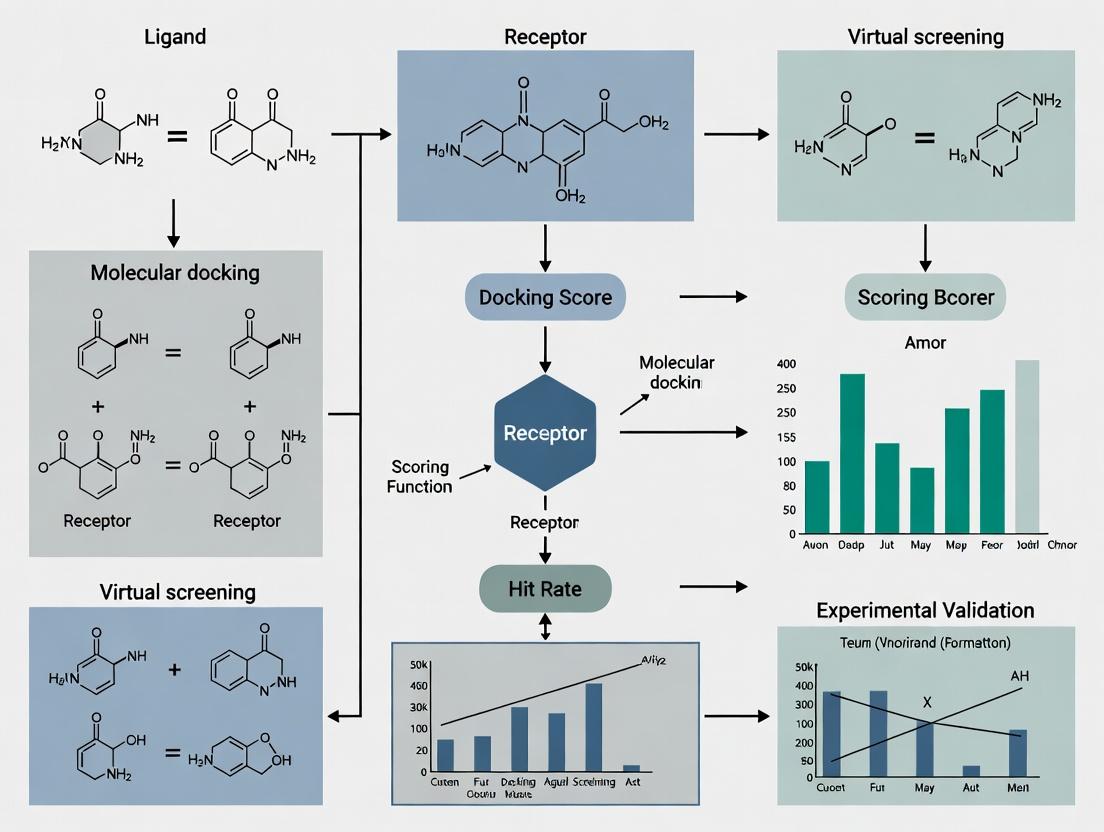
This article provides a comprehensive guide for computational chemists and drug discovery scientists struggling with low hit rates in virtual screening (VS).
Beyond the Hype: A Data-Driven Framework to Fix Low Hit Rates in Virtual Screening
Abstract
This article provides a comprehensive guide for computational chemists and drug discovery scientists struggling with low hit rates in virtual screening (VS). We move beyond simplistic explanations to dissect the multifaceted causes of poor VS performance. The scope covers foundational principles defining hit rate success, explores modern methodological advancements and best-practice workflows, details systematic troubleshooting for common failure points, and critically evaluates validation strategies to benchmark and compare screening approaches. The goal is to equip researchers with a structured framework to diagnose, optimize, and validate their VS campaigns for improved efficiency and higher probability of discovering bioactive compounds.
Defining the Problem: What *Really* Causes Low Hit Rates in Virtual Screening?
Troubleshooting Guides & FAQs
Q1: Our virtual screening campaign yielded over 100 hits, but none validated in the primary biochemical assay. What are the most common causes?
A: This is a classic symptom of "false positives" in virtual screening. Key troubleshooting steps include:
- Check 1: Compound Library Integrity. Verify the structural integrity and purity of your virtual library. Tautomers, stereochemistry errors, and unrealistic chemical structures are common culprits.
- Check 2: Target Preparation & Flexibility. Ensure your protein target model accounts for critical side-chain flexibility and backbone movements. Overly rigid docking can produce nonspecific poses.
- Check 3: Scoring Function Bias. The scoring function may be biased toward certain chemotypes or molecular weights. Cross-check hits using a different, orthogonal scoring method or consensus scoring.
- Check 4: Pharmacophore Mismatch. Visually inspect top hits to confirm they satisfy the essential pharmacophore features required for binding.
Q2: Our hit rate is consistently below 0.1%, far lower than published benchmarks. How can we diagnose the issue?
A: Low hit rates often stem from upstream process issues. Follow this diagnostic protocol:
- Benchmark Your Pipeline: Run a known active compound (from literature) and decoys through your entire virtual screening workflow. If the active is not ranked highly, the pipeline is flawed.
- Analyze the Chemical Space: Compare the chemical diversity and properties (e.g., logP, molecular weight) of your screening library against known actives for your target class. A large mismatch can doom the campaign.
- Review Filter Stringency: Excessively stringent filters (e.g., for ADMET) applied before docking can remove viable chemotypes. Apply filters post-docking as a prioritization step.
Q3: We get good initial hits, but they show no activity in cell-based assays. What should we investigate?
A: This indicates a potential lack of cellular permeability or off-target binding. Key FAQs:
- Is there a cell permeability issue? Calculate physicochemical properties (e.g., cLogP, Polar Surface Area). Use rules like Lipinski's Rule of Five or PAINS filters to flag compounds likely to fail.
- Could it be a target engagement problem? Implement a cellular target engagement assay (e.g., CETSA - Cellular Thermal Shift Assay) to confirm the compound is binding to the intended target in cells.
- Is the assay condition optimal? Review your cell assay buffer, incubation time, and solubility of the compound. Use DMSO controls and check for compound precipitation.
Key Experimental Protocols
Protocol 1: Benchmarking a Virtual Screening Workflow
- Curate a Test Set: Assemble a dataset of 20-30 known active compounds and 1000-1500 experimentally confirmed inactive compounds/decoys for your target.
- Run Standard Workflow: Process the test set through your standard virtual screening pipeline (preparation, docking, scoring).
- Calculate Performance Metrics: Generate an Enrichment Plot and calculate the Enrichment Factor at 1% (EF1%) and the Area Under the Accumulation Curve (AUAC).
- Interpretation: An EF1% > 10-20 and a high AUAC indicate a robust pipeline. Low values require re-parameterization.
Protocol 2: Post-Docking Hit Triage & Prioritization
- Cluster by Scaffold: Cluster the top 500-1000 docking hits by molecular scaffold to ensure chemical diversity.
- Apply ADMET Filters: Apply moderate property filters (e.g., QED > 0.3, no severe tox alerts) to each cluster's representative compounds.
- Visual Inspection: Manually inspect the top 2-3 compounds from each remaining cluster for sensible binding poses, key interactions, and synthetic accessibility.
- Consensus Ranking: Re-rank the visually inspected hits using a consensus of at least two different scoring functions or a machine learning model trained on similar actives.
Data Presentation
Table 1: Realistic Hit Rate Benchmarks Across Screening Modalities (2023-2024 Data)
| Screening Modality | Typical Library Size | Average Validated Hit Rate* | Key Success Factor |
|---|---|---|---|
| High-Throughput Screening (HTS) | 500,000 - 2M+ | 0.001% - 0.3% | Library diversity & assay quality |
| Structure-Based Virtual Screening (SBVS) | 1M - 10M | 0.1% - 5% | Target structure resolution & docking accuracy |
| Ligand-Based Virtual Screening (LBVS) | 1M - 5M | 0.5% - 10% | Similarity metric & query ligand quality |
| Fragment Screening (X-ray/NMR) | 500 - 5,000 | 2% - 20% | Fragment library design & detection method |
Hit rate defined as compounds confirming activity in a primary biochemical assay. *Highly dependent on target and protocol quality.
Table 2: Common Pitfalls and Diagnostic Checks for Low Hit Rates
| Symptom | Possible Cause | Diagnostic Check |
|---|---|---|
| High # of in silico hits, zero biochemical actives | Poor scoring function, library errors, unrealistic binding poses. | Run a known active/decoys benchmark. Check for chemical errors in top hits. |
| Hits active in biochemistry but not in cells | Poor permeability, cytotoxicity, compound instability. | Calculate properties (cLogP, TPSA). Run a cell viability counterscreen. |
| Hit rate declines sharply after similarity search | Overly narrow chemical space, "analog bias." | Assess diversity of initial hit list before proceeding. |
Visualizations
Diagram 1: SBVS Hit Validation Funnel Workflow
Diagram 2: Causes of Low Hit Rates in Screening
The Scientist's Toolkit: Research Reagent Solutions
| Item | Function in Virtual Screening & Hit Validation |
|---|---|
| High-Quality Protein Structure (X-ray/ Cryo-EM) | Essential for structure-based docking. Defines the binding site topology and key interactions. |
| Validated Active/Inactive Compound Sets | Used as positive/negative controls for benchmarking and validating screening protocols. |
| Commercial & In-house Compound Libraries | Source of chemical matter for screening. Diversity and drug-likeness are critical. |
| Molecular Docking Software (e.g., Glide, AutoDock Vina, GOLD) | Computational engine for predicting ligand binding poses and affinities. |
| Consensus Scoring Scripts/Platforms | Combines scores from multiple functions to improve prediction robustness. |
| Cellular Thermal Shift Assay (CETSA) Kit | Validates target engagement of hits in a cellular environment. |
| High-Throughput Biochemical Assay Kits | Enables rapid primary validation of hundreds of virtual hits (e.g., fluorescence polarization, TR-FRET). |
| Physicochemical Property Prediction Tools | Calculates logP, solubility, and other ADMET properties early in triage to filter problematic compounds. |
Technical Support Center: Troubleshooting Low Hit Rates in Virtual Screening
FAQs & Troubleshooting Guides
Q1: Our virtual screen against a GPCR target returned hundreds of "hits," but none showed activity in the primary biochemical assay. What went wrong? A: This is a classic symptom of chemical library bias and target complexity mismatch. GPCRs have flexible binding pockets; a rigid, lead-like library will fail. The primary assay may also detect only one signaling modality.
- Troubleshooting Steps:
- Analyze Library Composition: Compare the physicochemical properties (MW, logP, rotatable bonds) of your hit list to known GPCR binders (e.g., from ChEMBL). A mismatch suggests library bias.
- Check Docking Parameters: For structure-based screening, ensure the receptor conformation (active/inactive state) matches your assay's functional readout.
- Implement Pharmacophore Filter: Use a known active's pharmacophore as a post-docking filter to prioritize plausible hits.
- Protocol: Library Property Analysis
- Extract SMILES strings of your top 500 virtual hits and a reference set of 100 known GPCR ligands.
- Use RDKit (Python) or KNIME to calculate molecular descriptors: Molecular Weight (MW), Calculated LogP (CLogP), Number of Rotatable Bonds (NRB), Topological Polar Surface Area (TPSA).
- Plot distributions (e.g., violin plots) for each property. Overlap <40% indicates a problematic bias.
Q2: After a successful initial confirmatory assay, our hit compounds show no cellular activity. How do we debug this? A: This often stems from "Garbage In, Garbage Out" (GIGO) in the initial screening setup, where compounds with undesirable properties (e.g., poor solubility, reactivity) passed through filters.
- Troubleshooting Steps:
- Immediate Counter-Screens: Test for chemical reactivity (e.g., thiol-reactive groups, pan-assay interference compounds - PAINS) and aggregation. Use a promiscuity assay or dynamic light scattering.
- Assess Compound Integrity: Check compound solubility in your assay buffer via nephelometry. Verify compound identity and purity (LC-MS) after resuspension.
- Review Initial Filters: Re-audit the ADMET (Absorption, Distribution, Metabolism, Excretion, Toxicity) filters used in library preparation. Were they too lenient?
- Protocol: Rapid PAINS and Aggregation Check
- Reagents: DTT (for redox-activity), detergent (e.g., 0.01% Triton X-100 to disrupt aggregates).
- Run your biochemical assay with and without 1mM DTT or 0.01% detergent.
- A significant loss of activity in the presence of DTT/detergent suggests a false-positive mechanism.
Q3: Our fragment-based screen yielded no viable hits. The target is a protein-protein interaction (PPI) interface. Is our approach flawed? A: Target complexity is likely the issue. Flat, shallow PPI interfaces are poorly addressed by small, simple fragments.
- Troubleshooting Steps:
- Expand Fragment Library: Use a dedicated "PPI-focused" fragment library containing more three-dimensional, complex fragments.
- Employ Complementary Methods: Switch to or combine with an orthogonal technique like DNA-encoded library (DEL) screening or Tethering, which are better suited for PPIs.
- Validate Target Druggability: Perform a site-directed mutagenesis or NMR study to confirm the chosen site is ligandable.
- Protocol: Tethering (Disulfide Trapping) for PPI Targets
- Engineer a cysteine residue at the desired site on the target protein.
- Incubate the protein with a library of disulfide-containing fragments under reducing conditions.
- Fragments that bind near the cysteine will form a disulfide bond, stabilizing the interaction.
- Use mass spectrometry to identify the covalently bound fragments.
Table 1: Common Pitfalls and Diagnostic Metrics in Virtual Screening
| Pitfall Category | Key Diagnostic Metrics | Threshold for Concern | Corrective Action |
|---|---|---|---|
| Chemical Library Bias | Property overlap (MW, logP) with known actives | Tanimoto similarity < 0.3; Property distribution p-value > 0.05 | Curate or purchase a tailored library. |
| Target Complexity (e.g., PPI) | Surface topology (curvature, pocket depth) | Pocket volume < 300 ų; planar surface | Use PPI-focused libraries or alternative modalities (e.g., PROTACs). |
| 'Garbage In' (Compound Quality) | PAINS alerts, solubility ( | >5% of hits flag PAINS; Solubility < 10 µM | Apply stringent pre-filtering; use orthogonal assays. |
| Assay/Model Decoupling | Enrichment Factor (EF) at 1% | EF₁% < 5 (for random) | Recalibrate scoring function or improve receptor model. |
Table 2: Typical Hit Rate Benchmarks by Target Class
| Target Class | Typical Virtual Hit Rate* | Typical Experimental Confirmation Rate* | Primary Reason for Attrition |
|---|---|---|---|
| Soluble Enzyme (Kinase) | 5-15% | 20-50% | Compound selectivity, off-target effects. |
| GPCR (Class A) | 2-10% | 5-30% | Library bias, incorrect receptor state. |
| Ion Channel | 1-5% | 5-20% | Assay limitations, compound accessibility. |
| Protein-Protein Interaction | 0.1-2% | 1-10% | Target complexity, shallow binding site. |
*Rates are highly dependent on library and method quality. These are illustrative ranges.
Visualizations
Title: The GIGO Principle in Virtual Screening Workflow
Title: Decision Tree for Diagnosing Screening Failure
The Scientist's Toolkit: Essential Research Reagents & Solutions
| Item / Solution | Primary Function in Troubleshooting | Example / Specification |
|---|---|---|
| PAINS Filtering Libraries | Identifies compounds with known promiscuous, assay-interfering motifs. | NCMLS PAINS filters, ZINC PAINS removals. Implement via RDKit or KNIME. |
| DTT (Dithiothreitol) | Redox-active compound used to test for thiol-reactive false positives. | Use at 1-2 mM in confirmatory assay. Loss of activity indicates reactivity. |
| Detergent (Triton X-100, CHAPS) | Disrupts colloidal compound aggregates, a common source of false hits. | Use at 0.01-0.1% v/v. Recovery of activity with detergent suggests aggregation. |
| Reference Ligand Set | A set of known actives/inactives for a target class to validate screening methods. | Critical for calculating Enrichment Factors (EF). Obtain from ChEMBL or PubChem. |
| Biophysical Assay Kits (SPR, DSF) | Orthogonal, label-free methods to confirm binding and rule out assay artifacts. | Surface Plasmon Resonance (SPR) chips; Differential Scanning Fluorimetry (DSF) dyes. |
| Fragment Library (PPI-optimized) | Specialized library with high 3D character and complexity for difficult targets. | Libraries from providers like Enamine (3D fragment set) or Karawajczyk et al. design. |
| Cysteine-Reactive Fragment Library | For Tethering assays to probe shallow binding sites on engineered proteins. | Contains disulfide or acrylamide warheads for covalent trapping. |
Technical Support Center: Troubleshooting Low Hit Rates in Virtual Screening
FAQ & Troubleshooting Guides
Q1: My virtual screening campaign returned hundreds of hits, but experimental validation yielded zero active compounds. What are the most likely causes?
A: This common issue, known as a "low hit rate" or "high false positive rate," is often rooted in three core limitations of standard docking protocols:
- Rigid Receptor Approximation: Treating the protein as a static structure ignores induced-fit binding and conformational selection, leading to incorrect pose prediction and scoring.
- Implicit Solvation Models: Using simplified, continuous solvation fails to capture specific, stabilizing water bridges or displacement effects critical for binding affinity.
- Scoring Function Biases: Standard empirical or force-field-based scoring functions often overfit to training data and lack the accuracy to predict true binding free energies across diverse chemotypes.
Protocol: Ensemble Docking to Account for Protein Flexibility
- Step 1: Generate an ensemble of protein receptor conformations. Sources include:
- Multiple X-ray crystallographic structures (from the PDB) of the same target with different ligands or apo forms.
- NMR-derived models.
- Conformations extracted from Molecular Dynamics (MD) simulation trajectories (e.g., every 10 ns from a 100 ns simulation).
- Step 2: Prepare each structure (add hydrogens, assign partial charges, remove co-crystallized ligands) using software like UCSF Chimera, Schrödinger's Protein Preparation Wizard, or MOE.
- Step 3: Perform molecular docking of your ligand library against each receptor conformation in the ensemble using software like AutoDock Vina, Glide, or GOLD.
- Step 4: Analyze results by consensus. Rank ligands based on:
- Best average docking score across the ensemble.
- Frequency of appearing in the top ranks across multiple conformations.
Q2: How can I explicitly account for water molecules in my docking setup to improve pose prediction?
A: Specific, conserved water molecules can be integral to the binding site. Follow this protocol for water-sensitive docking.
Protocol: Explicit Water Docking with GRID Placement
- Step 1: Analyze the binding site in co-crystal structures. Identify conserved, high-occupancy water molecules using software like
HIC-Upor the "WaterView" feature in Maestro. - Step 2: For each conserved water, decide on a modeling strategy:
- Toggle Waters: In software like Glide or GOLD, flag waters as "toggle" or "switchable." The docking algorithm will determine whether displacing the water is energetically favorable for each ligand pose.
- Explicit Placement: Use a water placement algorithm (e.g., GRID in GOLD, SZMAP) to predict favorable hydration sites in the apo protein structure.
- Step 3: Run docking simulations with the selected water model enabled.
- Step 4: Critically analyze top poses: Does the ligand form hydrogen bonds with key waters? Is it displacing a water that was likely difficult to displace? This qualitative check adds a layer of scrutiny beyond the raw score.
Q3: I suspect my scoring function is biased. How can I use consensus scoring or free-energy perturbation (FEP) to triage hits more reliably?
A: No single scoring function is perfect. Implement a multi-stage scoring workflow.
Protocol: Consensus Scoring & Post-Processing Triage
- Initial Docking: Dock your library (e.g., 1M compounds) using a fast method (e.g., FRED, HTVS in Glide).
- Consensus Re-Score: Take the top 50,000 poses and re-score them using 3-4 different scoring functions (e.g., ChemPLP, GoldScore, ASP, Glide SP). Functions should differ in their theoretical basis (empirical, force-field, knowledge-based).
- Consensus Ranking: Rank compounds by their average rank or frequency of appearing in the top 5% across all scoring functions. This reduces the bias of any single function.
Table 1: Comparison of Scoring Function Types and Their Limitations
| Scoring Function Type | Examples | Principle | Common Limitations | Suggested Use Case |
|---|---|---|---|---|
| Empirical | GlideScore, ChemScore | Fits parameters to experimental binding affinities of protein-ligand complexes. | Overfitting to training set; poor transferability to novel targets/scaffolds. | Initial screening; targets similar to training set. |
| Force-Field Based | AutoDock, DOCK | Calculates van der Waals and electrostatic interactions using molecular mechanics terms. | Often lacks sophisticated solvation/entropy terms; sensitive to partial charge assignment. | Scaffold hopping; where steric complementarity is paramount. |
| Knowledge-Based | PMF, DrugScore | Derived from statistical preferences of interatomic contacts in known structures. | Dependent on database quality/ size; may not capture novel interactions. | Post-docking pose filtering and analysis. |
Protocol: Free Energy Perturbation (FEP) for Lead Optimization
- Note: FEP is computationally intensive (GPU clusters required) and is used for smaller, curated sets (10s-100s of compounds).
- Step 1: Select a series of closely related analogs (e.g., from an initial hit series).
- Step 2: Using software like Schrödinger's FEP+, Desmond, or OpenMM, set up a "graph" where each compound is transformed into another via alchemical pathways.
- Step 3: Run MD simulations with enhanced sampling to calculate the relative binding free energy (ΔΔG) between each pair.
- Step 4: The predicted ΔΔG values provide a high-accuracy ranking for prioritizing synthesis. Experimental error vs. FEP prediction is often < 1.0 kcal/mol.
The Scientist's Toolkit: Key Research Reagent Solutions
Table 2: Essential Materials & Software for Advanced Virtual Screening
| Item | Function & Relevance |
|---|---|
| Molecular Dynamics Software (e.g., GROMACS, AMBER, Desmond) | Generates ensembles of flexible protein conformations for ensemble docking; used for FEP and explicit solvent simulations. |
| Docking Software with Explicit Water Handling (e.g., GOLD, Glide) | Allows for inclusion, displacement, or "toggling" of key water molecules during the docking process. |
| Consensus Scoring Platform (e.g., CCDC's CSD-Discovery, in-house scripts) | Enables the combination of multiple scoring functions to reduce bias and improve hit selection. |
| High-Quality Protein Structure Database (PDB, but curated) | Source of multiple receptor conformations for ensemble docking. Critical to select high-resolution, relevant structures. |
| Free Energy Perturbation Suite (e.g., FEP+, OpenMM) | Provides high-accuracy relative binding affinity predictions for lead optimization triage. |
| High-Performance Computing (HPC) Cluster/Cloud (e.g., AWS, Azure) | Essential for running computationally demanding steps like MD, ensemble docking on large libraries, and FEP. |
Visualization of Workflows
Title: Root Causes & Solutions for Low Hit Rates
Title: Advanced VS Workflow for Improved Outcomes
Technical Support Center: Troubleshooting Guides & FAQs
FAQ: Core Concepts
Q1: What is the fundamental difference between raw ranking and enrichment in virtual screening?
A: Raw ranking refers to the simple, unprocessed ordering of compounds from a screened library based solely on their calculated docking scores (e.g., most negative to least negative). It assumes lower scores always correlate with better binders. Enrichment, however, measures the screening protocol's ability to prioritize true active molecules over inactive ones within a ranked list. It evaluates performance relative to random selection and is the key metric for assessing a campaign's practical utility in a real-world, low-hit-rate context.
Q2: My docking poses look excellent and scores are good, but my experimental hit rate is still very low. What could be wrong?
A: This is a classic symptom of over-reliance on raw ranking. Potential issues include:
- Scoring Function Bias: The scoring function is optimized for ranking poses, not for absolute binding affinity prediction or distinguishing decoys.
- Lack of Chemical Diversity: Top-ranked compounds may be structurally similar, amplifying errors.
- Irrelevant Pharmacophores: The model may be rewarding interactions not critical for biological activity.
- Ignoring Enrichment Metrics: You may be selecting an arbitrary cutoff (e.g., top 1000) from a raw rank without knowing if that portion is truly enriched.
Troubleshooting Guide: Improving Enrichment
Issue: Poor early enrichment (EF1) in retrospective benchmarking. Symptoms: True actives are scattered throughout the ranked list; selecting the top 1% yields few or no actives.
Diagnostic Steps & Solutions:
Validate with a Known Dataset:
- Protocol: Perform a retrospective screen using a library spiked with known actives and decoys. Use standard metrics (see Table 1).
- Action: If enrichment is poor, the scoring function or protocol is not suited for your target class.
Incorporate Pharmacophore or Interaction Filters:
- Protocol: Post-process docking results. Filter top-ranked compounds to retain only those forming key, target-specific interactions (e.g., a hydrogen bond with a catalytic residue).
- Action: Recalculate enrichment after filtering. This often improves early enrichment by removing false positives.
Use Consensus Scoring:
- Protocol: Rank compounds using 2-3 different scoring functions. Select compounds that consistently rank highly across all methods.
- Action: This reduces the error from any single function's bias. Measure the enrichment of the consensus list.
Key Performance Metrics Table
Table 1: Quantitative Metrics for Virtual Screening Assessment
| Metric | Formula/Description | Interpretation | Ideal Value in Low-Hit-Rate Context |
|---|---|---|---|
| Enrichment Factor (EFX%) | (HitX% / NX%) / (Total Hits / Total Library) | How much better than random selection is the top X% of the list? | Significantly >1 (Often 5-20+ in early %) |
| Area Under the ROC Curve (AUC) | Area under the Receiver Operating Characteristic curve. | Overall ability to discriminate actives from inactives. | Closer to 1.0 (Random = 0.5) |
| Robust Initial Enhancement (RIE) | Weighted sum of ranks, more sensitive to early enrichment. | Measures the "steepness" of active accumulation at the list's start. | Higher positive value. |
| Hit Rate (HRX%) | (HitX% / NX%) * 100 | Raw percentage of actives found in the selected top X%. | Context-dependent, but must justify experimental cost. |
Experimental Protocol: Standard Retrospective Enrichment Analysis
Objective: To evaluate and compare the enrichment performance of different virtual screening protocols.
Materials: (See "Scientist's Toolkit" below) Method:
- Dataset Preparation: Prepare a benchmarking library. Common examples: DUD-E, DEKOIS 2.0. It contains known active compounds and property-matched decoy molecules.
- Virtual Screening Run: Execute your docking or screening protocol against the entire benchmark library. Generate a ranked list based on the primary score.
- Truth Assignment: For each compound in the ranked list, assign a label (Active=1, Decoy=0) based on the benchmark library's ground truth.
- Metric Calculation:
- EF Calculation: For a given fraction (e.g., 1%, 5%), count the number of actives found within that top fraction of the list. Calculate using the formula in Table 1.
- ROC Curve Generation: Plot the True Positive Rate (TPR) against the False Positive Rate (FPR) as the ranking threshold varies. Calculate the AUC.
- Visualization: Plot the cumulative number of actives found vs. the fraction of the library screened. Compare to the line expected from random selection.
Visualizing the Screening Workflow & Outcome
The Scientist's Toolkit
Table 2: Essential Research Reagent Solutions for VS Validation
| Item | Function in Virtual Screening Research |
|---|---|
| Benchmarking Databases (DUD-E, DEKOIS 2.0) | Provide pre-prepared libraries of confirmed actives and matched decoys for controlled retrospective enrichment studies. |
| Molecular Docking Software (AutoDock Vina, Glide, GOLD) | Generates protein-ligand poses and primary docking scores for initial raw ranking. |
| Scripting Tools (Python/R with RDKit, KNIME) | Enable automation of post-processing, filtering, and calculation of enrichment metrics (EF, AUC). |
| Structure-Based Pharmacophore Modeling Tools | Help define essential interactions for post-docking filtration to improve enrichment. |
| High-Quality Target Protein Structures | Reliable, high-resolution (preferably co-crystallized with a ligand) structures are the foundation of accurate docking. |
Building a Robust Pipeline: Best Practices and Advanced Methodologies for Effective Screening
Technical Support Center & FAQs
Q1: After applying standard drug-like filters (e.g., Lipinski's Rule of Five), my virtual library is still too large. What are the next practical filtering steps?
A1: Implement a tiered filtering approach. After basic rules, apply:
- Extended Property Filters: Use quantitative estimates like QED (Quantitative Estimate of Drug-likeness) to rank compounds. A QED score >0.67 is generally considered promising.
- Lead-like Filters: For hit-to-lead campaigns, consider stricter criteria (e.g., Molecular Weight <350 Da, LogP <3) to allow for molecular growth.
- Aggregation/Promiscuity Filters: Screen for known aggregators and PAINS substructures (see next question). Common thresholds include Aggregator Advisor risk scores and PAINS alerts from defined SMARTS patterns.
Q2: My high-throughput screening (HTS) hits are frequent-hitters across unrelated assays. How can I check for PAINS during virtual curation to prevent this?
A2: This is a classic sign of PAINS. During library design:
- Use Updated PAINS Filters: Employ the latest substructure definitions. The original 480 PAINS alerts are widely used, but be aware of ongoing community refinements.
- Apply in Correct Context: PAINS filters are designed for HTS triage, not for lead optimization. Remove compounds triggering these alerts before virtual screening.
- Supplement with Assay Data: Cross-reference with public databases like PubChem BioAssay to flag compounds with promiscuous activity.
Table: Common PAINS Substructures and Actions
| PAINS Alert (Example) | Typical Structure | Recommended Action in Curation |
|---|---|---|
| Heterocycle-enol | Rhodanine, 2-aminothiazole | Remove - High redox/assay interference risk |
| Curcuminoid | Diaryl-1,3-diketone | Remove - Reactive Michael acceptor |
| Pyridinone | 3-hydroxypyridin-2-one | Flag for review - Potential metal chelator |
Q3: My virtual hits have excellent computed properties but appear unsynthesizable. What computational tools can predict synthetic feasibility?
A3: Synthesizability is critical for translational research. Use these methodologies:
- Retrosynthetic Analysis: Use tools like AiZynthFinder or ASKCOS to generate plausible synthetic routes based on known reactions.
- Rule-based Scoring: Employ scores like Synthetic Accessibility (SA) Score (1=easy, 10=hard). Prioritize compounds with SA Score <5.
- Fragment Complexity: Assess using metrics like ring complexity and stereochemical centers. Compounds with >3 chiral centers or fused ring systems are often challenging.
Experimental Protocols
Protocol 1: Implementing a Standard Virtual Screening Curation Pipeline
Objective: To filter a raw compound library for drug-likeness, PAINS, and synthesizability prior to docking.
- Input: Raw SMILES list of compounds (e.g., from ZINC or in-house database).
- Standard Drug-like Filter: Apply using RDKit or OpenEye toolkits.
- Remove compounds violating >1 Lipinski rule (MW≤500, LogP≤5, HBD≤5, HBA≤10).
- Optional: Apply Veber (Rotatable Bonds≤10, Polar Surface Area≤140 Ų) or Ghose filters.
- PAINS Filter: Screen against the BAINS (Biological Activity and Interference Substructures) list using the
rd_filterspackage (https://github.com/PatWalters/rd_filters). - Synthetic Accessibility Assessment: Calculate the SA Score for each remaining compound using the RDKit implementation.
- Output: A curated library file (SDF or SMILES) ready for virtual screening.
Protocol 2: Experimental Triage for Suspected PAINS Compounds
Objective: To confirm if a screening hit is a PAINS compound.
- Assay in Presence of Detergent: Repeat the primary assay with non-ionic detergent (e.g., 0.01% Triton X-100). A significant reduction in activity suggests compound aggregation.
- Dose-Response Curvature Analysis: Run a full dose-response curve. Promiscuous inhibitors often show shallow, non-sigmoidal curves.
- Orthogonal Assay: Test activity in a biophysical assay (e.g., SPR, DSF) unrelated to the primary assay technology. Lack of correlation suggests interference.
- Covalent Modifier Check: Use mass spectrometry to check for irreversible binding to the target protein.
Diagrams
Diagram 1: Virtual Library Curation Workflow
Diagram 2: Hit Triage for PAINS Identification
The Scientist's Toolkit: Research Reagent Solutions
Table: Essential Resources for Computational Library Curation
| Tool/Resource Name | Category | Function in Curation |
|---|---|---|
| RDKit (Open-Source) | Cheminformatics Toolkit | Core library for molecule manipulation, descriptor calculation, and applying filter rules via SMARTS. |
| OpenEye Toolkits (Licensed) | Cheminformatics Toolkit | High-performance libraries for molecular modeling, filtering, and force field calculations. |
| ZINC Database | Compound Library | Source of commercially available molecules for virtual screening, often pre-filtered. |
| ChEMBL/PubChem BioAssay | Bioactivity Database | Source of experimental bioactivity data for PAINS pattern analysis and validation. |
| SwissADME (Web Tool) | Property Prediction | Free tool for calculating drug-like properties, pharmacokinetics, and synthetic accessibility. |
| AiZynthFinder (Open-Source) | Retrosynthesis | Uses a trained neural network to suggest synthetic routes for a target molecule. |
| rd_filters (GitHub) | Filtering Pipeline | Pre-configured script to apply multiple filters (PAINS, Brenk, etc.) to a compound library. |
| Triton X-100 | Laboratory Reagent | Non-ionic detergent used in counter-screening assays to identify aggregating compounds. |
Technical Support Center
Troubleshooting Guides & FAQs
Q1: My ligand-based virtual screening (pharmacophore model) is returning an excessively high number of hits with poor chemical diversity. How can I refine the results?
A: This indicates low model specificity. Follow this protocol:
- Re-evaluate your query alignment: Ensure the training set ligands are aligned using a robust method (e.g., ROCS for shape, Phase for pharmacophore features). Misalignment is the most common cause of poor specificity.
- Adjust feature tolerance: Increase the precision by tightening distance and angle tolerances for pharmacophore features by 0.5-1.0 Å/20 degrees.
- Incorporate excluded volumes: Add excluded volume spheres derived from the receptor site or from a known inactive ligand to penalize steric clashes.
- Apply a more stringent molecular weight/filter filter: Pre-filter your screening library to a narrower range around your active ligands (e.g., ±100 Da).
- Use consensus scoring: Combine results from multiple ligand-based methods (e.g., similarity search + pharmacophore) and only pursue compounds that rank highly across all.
Q2: The protein structure I am using for structure-based screening has a missing loop in the binding site. How should I proceed?
A: Missing loops in critical regions severely compromise screening accuracy.
- Protocol for Loop Modeling:
- Source alternative structures: Search the PDB for homologous proteins with resolved loops.
- Use modeling software: Employ tools like MODELLER, Rosetta, or the SWISS-MODEL server.
- Select template: Use a high-identity (>70%) homologous loop as a template if available.
- Generate multiple decoys: Generate at least 100 loop decoys.
- Evaluate and select: Rank decoys using DOPE score (in MODELLER) or Rosetta energy. Perform a quick molecular dynamics (MD) minimization (50 ps) on the top 5 models and select the one with the lowest RMSD and stable energy.
- Validate: Dock a known ligand to ensure the refined binding site maintains credible interactions.
Q3: My docking results show excellent predicted binding affinity, but the compounds are inactive in biochemical assays. What are the potential causes?
A: This disconnect between in silico and in vitro results is a major cause of low hit rates.
- Troubleshooting Checklist:
- Protein flexibility ignored: Did the binding site undergo induced fit? Solution: Use ensemble docking against multiple receptor conformations (from NMR, MD simulations, or different PDB structures).
- Solvation/entropy effects poorly modeled: Docking scores often oversimplify these terms. Solution: Post-dock with MM/GBSA or MM/PBSA calculations to refine affinity rankings.
- Compound artifacts: The hit may be a pan-assay interference compound (PAINS). Solution: Filter your virtual library against PAINS filters before screening.
- Protonation/tautomer state incorrect: The ligand's dominant state in solution may not be the docked one. Solution: Generate likely protonation states and tautomers at physiological pH (e.g., using Epik) and dock each state.
- Assay conditions: Verify compound solubility and stability in the assay buffer.
Q4: When should I choose a ligand-based approach over a structure-based approach?
A: Use the following decision framework:
| Criterion | Favor Ligand-Based Approach | Favor Structure-Based Approach |
|---|---|---|
| Target Structure | No 3D structure available (GPCRs, ion channels). | High-resolution (≤2.5 Å) experimental structure is available. |
| Active Ligands | Known active ligands (≥10-15) with diverse scaffolds. | Few or no known active ligands (orphan target). |
| Binding Site | Binding site is unknown or highly flexible. | Well-defined, druggable binding pocket. |
| Campaign Goal | Scaffold hopping to novel chemotypes. | Understanding precise binding modes for lead optimization. |
| Resources/Time | Faster, less computationally intensive setup. | Requires significant computational resources for preparation/docking. |
The following table summarizes key metrics from recent virtual screening benchmark studies, highlighting the context-dependent performance of each approach.
| Study (Year) | Target | Ligand-Based Method | Structure-Based Method | Key Metric | Result (LB vs SB) | Takeaway for Hit Rate |
|---|---|---|---|---|---|---|
| Sieg et al. (2022) | Kinase ALK | 2D Fingerprint Similarity | Glide SP Docking | Enrichment Factor (EF1%) | 24.1 vs 31.5 | SB superior with high-quality, rigid pocket. |
| Gorgulla et al. (2023) | Diverse Targets (DUDE-Z) | Pharmacophore (Unity) | Ultrafast Shape Screening (UFS) | AUC-ROC | 0.78 vs 0.75 | LB shows robust average performance across diverse targets. |
| Tran-Nguyen et al. (2021) | Protease (Flexible) | ROCS Shape Similarity | Glide XP (Ensemble) | Hit Rate at 1% | 12% vs 22% | SB ensemble docking excels for flexible sites. |
| Benchmark Analysis (2023) | 102 Targets | ECFP4 Similarity | Vina Docking | Average Success Rate* | 34% vs 29% | LB more consistent when actives are closely related. |
*Success defined as EF1% > 10.
Experimental Protocols
Protocol 1: Building a Robust Pharmacophore Model (Ligand-Based)
- Objective: To create a predictive pharmacophore for virtual screening.
- Materials: See "Research Reagent Solutions" below.
- Steps:
- Dataset Curation: Collect 15-20 known active ligands with a wide potency range (IC50/ Ki data) and confirmed activity from the same assay. Include 50 confirmed inactive compounds.
- Conformational Analysis: Generate a diverse set of low-energy conformers for each molecule (e.g., using OMEGA, max 250 conformers per ligand).
- Common Feature Identification: Use software like LigandScout or Phase. Align active molecules and identify conserved chemical features (H-bond donors/acceptors, hydrophobes, aromatics, ionizable groups).
- Model Generation & Validation: Generate multiple hypothesis models. Validate by screening a decoy set (actives + inactives). Select the model with the best Enrichment Factor (EF) and Güner-Henry (GH) score. A GH score > 0.5 indicates a good model.
Protocol 2: Structure-Based Virtual Screening Workflow with MM/GBSA Refinement
- Objective: To screen a compound library via molecular docking and refine top poses with free energy estimates.
- Materials: See "Research Reagent Solutions" below.
- Steps:
- Protein Preparation (Schrödinger Protein Prep Wizard or similar):
- Add missing hydrogen atoms and side chains.
- Assign bond orders, correct het group states.
- Optimize H-bond network.
- Minimize structure (RMSD constraint: 0.3 Å).
- Grid Generation: Define the binding site box centered on the native ligand or catalytic residues. Box size: ~20 Å per side.
- Ligand Library Preparation: Filter for drug-like properties (Lipinski's Rule of 5). Generate stereoisomers, tautomers, and protonation states at pH 7.4 ± 2.
- Docking: Perform high-throughput virtual screening (HTVS) followed by standard precision (SP) docking on top ranks (e.g., using Glide or AutoDock Vina).
- Post-Docking Refinement (MM/GBSA): On the top 1000 compounds, perform MM/GBSA (using Prime or Amber) to calculate more accurate binding free energies. Re-rank compounds based on ΔG_bind.
- Protein Preparation (Schrödinger Protein Prep Wizard or similar):
Visualizations
Title: Ligand-Based Pharmacophore Screening Workflow
Title: Structure-Based Docking & Refinement Workflow
Title: LB vs SB Approach Decision Tree
The Scientist's Toolkit: Research Reagent Solutions
| Item / Software | Category | Primary Function in Virtual Screening |
|---|---|---|
| Schrödinger Suite | Software Platform | Integrated environment for protein prep (Protein Prep Wizard), docking (Glide), pharmacophore (Phase), and free energy calculations (Prime MM/GBSA). |
| OpenEye Toolkits (ROCS, OMEGA) | Ligand-Based Software | Fast shape-based similarity screening (ROCS) and high-quality conformer generation (OMEGA). Critical for ligand-based design. |
| AutoDock Vina / GNINA | Docking Engine | Open-source, widely used molecular docking programs for structure-based screening and pose prediction. |
| LigandScout | Pharmacophore Modeling | Creates 3D pharmacophore models from ligand data or protein-ligand complexes, with advanced editing capabilities. |
| Amber / GROMACS | Molecular Dynamics | Used for simulating protein flexibility, generating conformational ensembles for ensemble docking, and calculating binding free energies. |
| ZINC / Enamine REAL | Compound Libraries | Commercial and publicly accessible databases of purchasable compounds for virtual screening. |
| RDKit | Cheminformatics Toolkit | Open-source library for handling molecular data, fingerprint calculation, descriptor generation, and substructure filtering. |
| PAINS Filters | Computational Filter | Rule-based filters to identify and remove compounds with promiscuous, assay-interfering motifs from screening libraries. |
Introduction: This support center is part of a thesis research initiative aimed at improving the poor hit rates of traditional, single-structure virtual screening. By integrating Molecular Dynamics (MD) and Ensemble Docking, we address target receptor flexibility, a major source of false negatives. The following guides address common technical challenges.
FAQs & Troubleshooting Guides
Q1: My MD simulation of the protein target becomes unstable and crashes within the first few nanoseconds. What are the primary causes? A: This is often due to improper system preparation or force field parameters.
- Check 1: Solvation and Ionization. Ensure the simulation box has sufficient padding (e.g., 1.0-1.2 nm from the protein) and is neutralized with appropriate ions (e.g., Na⁺/Cl⁻). An unbalanced charge will cause instability.
- Check 2: Missing Parameters. For non-standard residues (e.g., post-translational modifications, cofactors, novel ligands), manually assign force field parameters. Use tools like
ACPYPEor theCHARMOMB GUIto generate parameters for GAFF. - Check 3: Energy Minimization. Ensure steepest descent minimization converges (maximum force < 1000 kJ/mol/nm). Incomplete minimization leaves high-energy clashes.
- Protocol - System Preparation (using GROMACS):
pdb2gmx -f protein.pdb -o processed.gro -water spc -ff charmm36(Select protonation states).editconf -f processed.gro -o boxed.gro -c -d 1.0 -bt cubicsolvate -cp boxed.gro -cs spc216.gro -o solvated.gro -p topol.topgrompp -f ions.mdp -c solvated.gro -p topol.top -o ions.tprgenion -s ions.tpr -o neutralized.gro -p topol.top -pname NA -nname CL -neutral
Q2: How do I select representative frames from my MD trajectory to create a docking ensemble? A: Use clustering based on protein backbone RMSD to avoid bias and capture distinct conformational states.
- Issue: Selecting frames arbitrarily or at regular time intervals may over-sample similar states.
- Solution: Perform clustering (e.g., using GROMACS or
cpptraj). - Protocol - Trajectory Clustering (GROMACS):
gmx rms -s template.tpr -f trajectory.xtc -o rmsd.xvg -tu ns(Fit to backbone).gmx cluster -s template.tpr -f trajectory.xtc -dm rmsd-dist.xvg -o clusters.xpm -sz cluster-sizes.xvg -cutoff 0.15 -method gromos
- Interpretation: Choose the central structure (centroid) of the most populous clusters for your ensemble. Including 3-10 distinct structures is typical.
Q3: After ensemble docking, I get widely varying docking scores for the same ligand across different receptor snapshots. How do I consolidate results? A: Use a consensus scoring or ranking method to prioritize ligands that perform well across multiple receptor conformations.
- Issue: Relying on the best score from a single snapshot can be misleading and noise-sensitive.
- Strategy: Calculate an average rank or normalized score.
- Dock ligand library against each ensemble member.
- Rank ligands by score (e.g., Vina score) within each individual docking run.
- For each ligand, calculate its Average Rank across all ensemble members.
- Re-rank the entire library by this Average Rank. Ligands with consistently good ranks are more promising.
Q4: Ensemble docking is computationally expensive. How can I optimize the process? A: Implement a pre-screening or hierarchical docking workflow.
- Workflow:
- Stage 1 - Rapid Pre-screen: Perform fast, low-precision docking (e.g., high grid spacing, fewer poses) against all ensemble members. Keep only the top 20% of ligands from each run.
- Stage 2 - High-Precision Re-dock: Merge the pre-screened lists and dock this subset with high-precision parameters (fine grid spacing, more exhaustiveness) against the full ensemble.
Diagram: Hierarchical Docking Workflow for Efficiency (86 chars)
Table 1: Impact of Ensemble Docking on Virtual Screening Performance Data synthesized from recent literature (2022-2024).
| Study (Representative System) | Traditional Docking (Single Structure) Enrichment Factor (EF1%) | MD + Ensemble Docking Enrichment Factor (EF1%) | Key Metric Improvement |
|---|---|---|---|
| Kinase Target (e.g., EGFR) | 5.2 | 18.7 | ~3.6x increase |
| GPCR Target (e.g., A2A receptor) | 3.1 | 12.4 | ~4.0x increase |
| Flexible Viral Protease | 7.5 | 24.9 | ~3.3x increase |
| Average Improvement | 5.3 | 18.7 | ~3.5x |
EF1%: Enrichment Factor at 1% of the screened database, a common metric for early recognition.
Table 2: Recommended MD Simulation Parameters for Conformational Sampling
| Parameter | Typical Value / Choice | Rationale & Troubleshooting Tip |
|---|---|---|
| Force Field | CHARMM36, AMBER ff19SB, OPLS-AA/M | Use the one best validated for your protein class. Mismatched water models cause instability. |
| Simulation Time | 100 ns - 1 µs (system-dependent) | Monitor RMSD/RMSF plateau. For rapid pocket dynamics, 100-200 ns may suffice. |
| Clustering Cutoff (Backbone RMSD) | 0.15 - 0.25 nm | Adjust based on observed conformational spread. Too low => too many clusters. |
| Ensemble Size | 3 - 10 snapshots | Diminishing returns beyond capturing major metastable states. |
The Scientist's Toolkit: Essential Research Reagent Solutions
| Item / Software | Function in MD & Ensemble Docking Workflow |
|---|---|
| GROMACS | Open-source MD simulation software for trajectory generation, energy minimization, and analysis. |
| AMBER/NAMD | Alternative MD simulation suites with advanced sampling capabilities. |
| AutoDock Vina / GNINA | Docking programs for virtual screening against prepared receptor ensembles. |
| PyMOL / VMD | Molecular visualization for inspecting trajectories, binding poses, and conformational changes. |
| MDAnalysis / cpptraj | Python and C++ analysis libraries for processing MD trajectories (e.g., RMSD, clustering). |
| CHARMM/AMBER Force Fields | Parameter sets defining atomistic interactions for proteins, lipids, and nucleic acids in MD. |
| GAFF (General AMBER Force Field) | Provides parameters for small molecule ligands during MD simulation. |
| PyRx / AutoDockTools | GUI-based tools for preparing protein and ligand files for docking. |
Diagram: MD-Ensemble Docking Workflow for Thesis (96 chars)
FAQs & Troubleshooting Guides
Q1: After implementing an ML-based scoring function, my virtual screen yields an extremely high number of hits (>>50% of library), but experimental validation shows a near-zero true hit rate. What went wrong?
A: This is a classic symptom of data leakage or overfitting during model training, leading to over-optimistic scoring.
Primary Checks:
- Temporal Split: Ensure your training data (known actives/decoys) contains no compounds discovered after those in your test/validation set. Use a date-based split.
- Structural Clustering: Cluster compounds by fingerprint similarity (e.g., ECFP4). Ensure no cluster members are in both training and test sets.
- Target Similarity: If training on data from homologous proteins, the model may learn general binding patterns that do not translate to your specific target.
Protocol: Corrected Training/Validation Splitting
- Gather all known active and inactive compounds with associated bioactivity data (e.g., Ki, IC50).
- Generate molecular fingerprints for all compounds.
- Apply the Butina clustering algorithm (RDKit implementation) with a Tanimoto similarity threshold of 0.7.
- Assign entire clusters to either the training (70%), validation (15%), or hold-out test (15%) set. Do not split clusters.
- Train your ML model (e.g., Random Forest, Gradient Boosting, Neural Network) on the training set.
- Tune hyperparameters using the validation set performance.
- Perform a final, single evaluation on the hold-out test set. This metric is your best estimate of real-world performance.
Q2: My AI/ML scoring function ranks known binders highly when tested retrospectively, but fails to identify any novel chemotypes in prospective screening. How can I improve scaffold hopping capability?
A: The model may be biased towards simple chemical features (e.g., presence of specific charged groups) rather than learning complex, transferable physicochemical interactions.
Troubleshooting Steps:
- Feature Analysis: Use SHAP (SHapley Additive exPlanations) values to interpret your model's predictions. It will reveal which molecular descriptors are most influential.
- Data Augmentation: Incorporate diverse negative examples. Use experimentally confirmed inactives instead of generated decoys. If unavailable, use decoys from the Directory of Useful Decoys (DUD-E) which are matched for physical properties but dissimilar in topology.
- Model Adjustment: Shift from purely ligand-based features to structure-aware features. Use interaction fingerprints from docked poses (even with a simple force field) as input features for the ML model.
Protocol: Generating an Interaction Fingerprint for ML Input
- Dock your training set of ligands into a fixed protein binding site (using Glide, GOLD, or AutoDock Vina).
- For each docked pose, use a script (e.g., in Schrödinger's Maestro or RDKit) to calculate binary interaction features:
- Has H-bond donor to Protein Residue X?
- Has H-bond acceptor from Protein Residue Y?
- Has hydrophobic contact with Protein Residue Z?
- Has pi-pi stacking with aromatic residue?
- Has ionic interaction with charged residue?
- Encode these as a bit vector (1 for interaction present, 0 for absent) for each compound.
- Concatenate this interaction fingerprint with traditional 2D molecular descriptors.
- Retrain the model. This anchors predictions in the physical context of the binding site.
Q3: When integrating multiple scoring functions (ML, classical FF, knowledge-based), how do I resolve contradictory rankings and decide which compounds to prioritize for experimental testing?
A: Use a consensus and discrepancy analysis framework, not a simple average.
- Methodology:
- Run your virtual screening library through each scoring function independently.
- Normalize scores per function (e.g., to a 0-1 scale using min-max scaling across the library).
- Apply a strict consensus filter: Flag compounds that appear in the top 5% of all ranking lists. These are high-confidence hits.
- Analyze strategic discrepancies: For compounds ranked highly by the ML score but poorly by the force field, examine their features. They may represent novel interaction patterns beyond the FF. Prioritize a subset for testing to explore new chemical space.
Table 1: Comparison of Common ML Scoring Function Pitfalls & Solutions
| Symptom | Likely Cause | Diagnostic Check | Corrective Action |
|---|---|---|---|
| High recall in retrospective screen, zero prospective hits | Data leakage, overfitting | Perform temporal/cluster-based data splitting | Implement strict cluster-based train/test splits |
| All top-ranked compounds are structurally identical | Bias in training data, lack of feature diversity | Analyze chemical diversity of training set actives | Augment training with diverse actives from ChEMBL; use domain adaptation techniques |
| ML scores have no correlation with binding affinity (pKi, pIC50) | Model learning classification (active/inactive) not regression (affinity) | Check if model was trained on binary activity data | Retrain a regression model using continuous affinity values as the target variable |
| Poor ranking of compounds docked with alternate poses | Model trained only on single "best" pose, lacks pose robustness | Score multiple poses per compound with ML model | Train model on multiple poses per ligand; use pose-averaged or best-of-k scores for ranking |
Key Research Reagent Solutions
| Item/Category | Function in AI/ML-Enhanced Virtual Screening |
|---|---|
| DUDE-E or DEKOIS 2.0 | Benchmark datasets providing carefully curated decoy molecules to train and test scoring functions, reducing false positives from analog bias. |
| RDKit or Mordred | Open-source cheminformatics toolkits for generating standardized molecular descriptors and fingerprints as input features for ML models. |
| SHAP (SHapley Additive exPlanations) | Game theory-based library for interpreting output of ML models, identifying which molecular features drive a high or low score. |
| GNINA or Open-CASF | Deep learning frameworks (GNINA) and benchmarks (Open-CASF) specifically for structure-based scoring, providing pre-trained models and evaluation sets. |
| Experimentally Validated Inactive Sets (e.g., from PubChem BioAssay) | Crucial for training models to recognize true non-binders, improving model specificity over using generated decoys alone. |
Diagram 1: AI-Scorer Development & Validation Workflow
Diagram 2: Consensus Scoring Discrepancy Analysis
Troubleshooting Guides & FAQs
Q1: After running three different docking programs in parallel, the results show no consensus. My top hits from each program are entirely different. What could be the cause and how should I proceed?
A: This is a common challenge indicating that the scoring functions are capturing different aspects of ligand-receptor interaction. First, verify that all input structures (protein and ligands) are identically prepared (protonation states, charges). If preparation is consistent, the divergence is meaningful. Do not force consensus. Instead, proceed to a tiered fusion strategy: create a ranked list based on average percentile rank across all programs. Compounds appearing in the top 30% of any two lists should be advanced to the experimental validation stage. This balances consensus with the unique predictive strengths of each algorithm.
Q2: When implementing a machine learning-based fusion model, the model performs poorly on external test sets despite high cross-validation accuracy. How can this overfitting be addressed?
A: This typically stems from data leakage or non-representative training data. Ensure your training set (known actives/inactives) is diverse and covers relevant chemical space for your target. Use stringent time-split or cluster-based splits for validation instead of random splits. Simplify the model architecture; start with a simple logistic regression or random forest using a limited set of interpretable features (e.g., docking scores from multiple programs, simple physicochemical descriptors). Regularization (L1/L2) is mandatory. Most importantly, the fusion model should be trained on data independent of the primary virtual screening library.
Q3: Our parallel screening workflow, combining pharmacophore screening and molecular docking, yields an unmanageably large number of hits for downstream analysis. How can we prioritize effectively?
A: Implement a sequential consensus filter. Structure your workflow so that the entire library passes through a fast, selective method (e.g., pharmacophore or 2D fingerprint similarity) first. Only the top X% from this primary screen are then fed into the more computationally intensive docking simulations. Finally, apply a data fusion table to integrate the scores. See the protocol below for a detailed methodology.
Q4: The computational cost of running multiple parallel virtual screenings is prohibitive for our large compound library. Are there optimization strategies?
A: Yes. Employ a hierarchical screening protocol. Start with a ultra-fast, low-resolution filter (e.g., Rule of 3, PAINS filter, crude pharmacophore). Use this to reduce the library by 60-70%. Then, distribute the remaining compounds across your parallel docking/pharmacophore tools. Utilize cloud computing or high-performance computing (HPC) clusters with scalable, containerized workflows (e.g., using Nextflow or Snakemake) to manage the parallel executions efficiently.
Detailed Experimental Protocol: Tiered Consensus Screening and Score Fusion
Objective: To increase the hit rate of a virtual screening campaign by implementing a parallel screening strategy with two distinct methods and a subsequent data fusion step.
Materials & Software: See "Research Reagent Solutions" table.
Methodology:
Library Preparation:
- Prepare your target compound library in SDF or SMILES format.
- Apply standard preprocessing using a tool like
RDKitorOpenBabel: generate tautomers, protonate at pH 7.4, generate 3D conformers, and minimize energy. - Remove compounds failing Lipinski's Rule of Five (for drug-like libraries) and pan-assay interference compounds (PAINS).
Parallel Screening Execution:
- Path A - Molecular Docking:
- Prepare the protein structure: add hydrogens, assign charges (e.g., using the
PDB2PQRsuite for AMBER charges), and define the binding site grid. - Run docking for the entire preprocessed library using a program like AutoDock Vina. Output a ranked list with docking scores (e.g., Vina score in kcal/mol).
- Prepare the protein structure: add hydrogens, assign charges (e.g., using the
- Path B - Pharmacophore Screening:
- Develop a ligand-based pharmacophore model using known active compounds (e.g., in
LigandScoutorPhase). Key features should include hydrogen bond donors/acceptors, hydrophobic regions, and aromatic rings. - Screen the preprocessed library against the model. Output a ranked list with pharmacophore fit scores.
- Develop a ligand-based pharmacophore model using known active compounds (e.g., in
- Path A - Molecular Docking:
Data Normalization and Fusion:
- For each ranked list (Docking, Pharmacophore), convert raw scores to percentile ranks (0-100, where 100 is best).
- Create a fusion score using a weighted sum approach. For an initial, balanced approach, use equal weights.
- Fusion Score = (0.5 * Docking Percentile) + (0.5 * Pharmacophore Percentile)
- Re-rank all compounds based on the fusion score in descending order.
Consensus Hit Selection:
- Define the final hit list by selecting the top N compounds from the fused ranking (e.g., top 100).
- Additionally, apply a consensus rule: any compound appearing in the top 20% of both the original docking and pharmacophore rankings is automatically promoted to the hit list, even if its fused rank falls outside the top N.
- Visually inspect the final hit list for chemical diversity and reasonable binding poses.
Data Presentation:
Table 1: Comparative Performance of Single vs. Consensus Screening Strategies in a Retrospective Study
| Screening Strategy | Compounds Screened | Initial Hits Identified | Experimentally Confirmed Actives | Hit Rate (%) | Enrichment Factor (EF1%) |
|---|---|---|---|---|---|
| Docking Only (Vina) | 50,000 | 250 | 5 | 2.00 | 10.0 |
| Pharmacophore Only | 50,000 | 200 | 3 | 1.50 | 7.5 |
| Consensus Fusion (Equal Weight) | 50,000 | 150 | 12 | 8.00 | 40.0 |
Table 2: Key Research Reagent Solutions for Parallel Screening Workflows
| Item | Function in Workflow | Example Product/Software |
|---|---|---|
| Compound Libraries | Source of molecules for screening; defines chemical space. | ZINC20, Enamine REAL, MCULE, In-house collections. |
| Protein Structure File | The 3D target for structure-based screening. | RCSB PDB (prepared), AlphaFold DB predicted model. |
| Cheminformatics Toolkit | Library preprocessing, format conversion, descriptor calculation. | RDKit, OpenBabel, KNIME. |
| Molecular Docking Software | Predicts binding pose and affinity of ligands. | AutoDock Vina, Glide (Schrödinger), rDock. |
| Pharmacophore Modeling Software | Creates and screens abstract interaction models. | LigandScout, Phase (Schrödinger), PharmaGist. |
| Workflow Management System | Orchestrates parallel execution and data pipelining. | Nextflow, Snakemake, Galaxy. |
| High-Performance Computing (HPC) | Provides computational power for large-scale parallel runs. | Local cluster, Cloud (AWS, GCP, Azure). |
Visualizations
Diagram Title: Parallel Screening & Fusion Workflow
Diagram Title: Consensus Selection Decision Tree
Diagnosing and Fixing Your Screening Campaign: A Step-by-Step Troubleshooting Guide
FAQs
Q1: What are the most common structural issues in PDB files that lead to failed virtual screening? A1: The most common issues include missing residues or side-chain atoms in the binding site, incorrect protonation states of key residues, unresolved ligand atoms, and crystal packing artifacts that occlude the putative binding pocket. A 2023 survey of the PDB-REDO database indicated that approximately 18% of structures used for docking require significant correction of side-chain rotamers in the binding site.
Q2: How do I validate the biological relevance of my defined binding site? A2: Cross-reference your site with known biological data. Use databases like Catalytic Site Atlas (CSA) for enzymes, or mutation data from sources like dbSNP and COSMIC to see if residues in your site are associated with functional changes. A binding site is more likely to be biologically relevant if it is: 1) evolutionarily conserved, 2) supported by mutagenesis studies, and 3) co-localized with known functional motifs (e.g., catalytic triads).
Q3: My virtual screening hits show good docking scores but no activity in assays. Could the problem be my protein structure? A3: Yes, this is a classic symptom. High scores with no activity often stem from using an apo (unbound) structure that is too "closed," a structure with an irrelevant co-crystallized ligand inducing non-physiological conformations, or a structure with incorrect loop conformations near the site. Always prioritize holo (ligand-bound) structures and consider using multiple conformations (e.g., from NMR or MD simulations) for screening.
Troubleshooting Guides
Issue: Poor Enrichment in Benchmark Docking Symptoms: When performing a control docking with known actives and decoys, the method fails to rank actives significantly above inactives (low EF or AUC). Diagnostic Steps:
- Check Protein Preparation: Re-examine protonation states, especially for His, Asp, and Glu. Ensure all crystallographic waters not integral to the binding site are removed.
- Validate Binding Site Geometry: Compare the geometry of your prepared site to the original crystallographic ligand. Major clashes indicate problematic preparation.
- Test Rigidity: If the site is too rigid (from a single crystal structure), it may not accommodate even known binders. Consider introducing side-chain flexibility or using an ensemble.
- Review Data: See the table below for typical benchmark values indicating a well-prepared system.
Issue: Inconsistent Results Across Different Docking Software Symptoms: The same ligand library yields vastly different hit lists when screened against the same protein using different docking programs (e.g., Glide vs. AutoDock Vina). Diagnostic Steps:
- Standardize Inputs: Ensure the protein and ligand input files (formal charges, tautomers) are identical and correctly interpreted by each software.
- Focus on Site Definition: Manually align the grid/box definitions from each program. Inconsistent placement is the most common cause of divergence.
- Reconcile with Experimental Data: If available, use a known inhibitor's pose as a ground truth to evaluate which software/site definition reproduces it best.
Data Presentation
Table 1: Impact of Protein Structure Preparation on Virtual Screening Enrichment
| Preparation Step | Typical Improvement in EF₁₀* | Key Rationale | Recommended Tool/Check |
|---|---|---|---|
| Correcting Side-chain Rotamers | 15-25% | Fixes steric clashes that block ligand binding. | Use PDB-REDO or MolProbity. |
| Optimizing Protonation States | 20-30% | Ensures correct H-bonding and electrostatic complementarity. | Use PROPKA or H++ server at intended pH. |
| Using a Holo vs. Apo Structure | 30-50% | Captures the induced-fit conformation relevant for binding. | Select PDB entries with high-affinity ligands. |
| Including Key Structural Waters | 10-15% (context-dependent) | Maintains crucial water-mediated H-bond networks. | Analyze water conservation in multiple structures. |
| Generating an Ensemble | 25-40% | Accounts for intrinsic receptor flexibility. | Use conformational sampling from MD or NMR models. |
*EF₁₀ (Enrichment Factor at 10%): Measures how many more actives are found in the top 10% of ranked compounds versus random selection. Values are approximate based on retrospective studies.
Table 2: Binding Site Validation Metrics and Target Values
| Validation Metric | Calculation/Source | Target Value (Indicative of a Good Site) |
|---|---|---|
| Sequence Conservation | ConSurf or similar tools | Binding site residues should have high conservation scores (grades 8-9). |
| Pocket Druggability | fpocket, DoGSiteScorer | Druggability score > 0.7; volume 500-1000 ų. |
| Site Concordance | Overlap of sites from 3+ homologous structures | ≥ 80% volume overlap of core residues. |
| Mutagenesis Support | Literature mining via PubMed | Loss-of-function mutations map to site residues. |
| Structural Resolution | PDB file header | ≤ 2.2 Å for reliable atom placement. |
Experimental Protocols
Protocol: Binding Site Definition via Multiple Structure Alignment Purpose: To define a robust, consensus binding site from multiple homologous protein-ligand complexes. Materials: See "The Scientist's Toolkit" below. Method:
- Structure Retrieval: From the PDB, select 3-5 high-resolution (≤2.2 Å) holo structures of your target or close homologs (>60% sequence identity) with diverse, high-affinity ligands.
- Alignment: Use a structural alignment tool (e.g., PyMOL
aligncommand, ChimeraMatchMaker) to superimpose all structures onto your primary reference structure. - Ligand Overlay: Visually inspect the aligned ligand poses. The consensus binding site is the spatial volume occupied by the union of all aligned ligands.
- Residue Selection: Select all protein residues with any heavy atom within 5.0 Å of any of the overlaid ligands. This forms your preliminary binding site residue list.
- Volume Calculation: Use a cavity detection tool (e.g., PyMOL
cavitycommand, fpocket) on the reference structure to calculate the volume of the consensus site.
Protocol: In silico Benchmarking and Enrichment Calculation Purpose: To quantitatively assess the preparedness of your protein structure/binding site for virtual screening. Materials: A curated dataset of known active compounds and decoys for your target (available from DUD-E or DEKOIS 2.0). Method:
- Dataset Preparation: Download or compile a set of 20-50 known actives and 1000-2000 property-matched decoys for your target.
- Docking Preparation: Prepare the active and decoy molecules (generate 3D conformers, optimize tautomers/protonation).
- Docking Run: Dock the combined library (actives + decoys) into your prepared protein structure using your chosen docking software and defined site.
- Ranking & Analysis: Rank all compounds by their docking score. Calculate the Enrichment Factor (EF) at 1% and 10% of the screened library: EFₓ = (Aₓ / Nₓ) / (A_total / N_total) Where Aₓ is the number of actives in the top X% of the ranked list, Nₓ is the total number of compounds in the top X%, and Atotal/Ntotal is the ratio of actives in the full library.
- Interpretation: An EF₁₀ > 5 generally indicates a well-prepared system capable of distinguishing actives from inactives.
Mandatory Visualization
Title: Protein Structure & Binding Site Validation Workflow
Title: Root Causes of Low Virtual Screening Hit Rates
The Scientist's Toolkit: Research Reagent Solutions
| Item | Function in Validation | Example/Note |
|---|---|---|
| Structure Visualization & Analysis | Visual inspection of binding site, ligand poses, and structural quality. | PyMOL, UCSF ChimeraX: Essential for manual checking and figure generation. |
| Structure Preparation Suite | Adds missing atoms, optimizes H-bond networks, fixes steric clashes. | PDB-REDO (server), Molecular Operating Environment (MOE), Protein Preparation Wizard (Schrödinger): Automated pipelines for reliable starting models. |
| Protonation State Predictor | Predicts pKa values of ionizable residues to set correct states at assay pH. | PROPKA (integrated in Maestro/MOE), H++ Server: Critical for electrostatic complementarity. |
| Binding Site Detection | Identifies and scores potential pockets on the protein surface. | fpocket, DoGSiteScorer (from ProteinsPlus): Useful for druggability assessment and site comparison. |
| Conservation Analysis Tool | Calculates evolutionary conservation of residues. | ConSurf Server: Maps conservation grades onto your structure; high conservation in a pocket suggests functional importance. |
| Decoy Dataset | Provides property-matched inactive molecules for benchmarking. | DUD-E, DEKOIS 2.0 Databases: Supply decoys for enrichment calculations to test your setup. |
| Molecular Dynamics (MD) Software | Generates structural ensembles to model flexibility. | GROMACS, AMBER, NAMD: Used to simulate protein motion and extract multiple receptor conformations. |
| Scripting Language | Automates repetitive tasks (batch preparation, analysis). | Python (with RDKit/Biopython), Bash: Key for reproducibility and handling large data sets. |
Frequently Asked Questions (FAQs)
Q1: Our virtual screening workflow consistently yields a high number of false positives, leading to low hit rates in experimental validation. How can retrospective analysis help? A1: Retrospective analysis uses a dataset of known actives and confirmed inactives/decoys to benchmark your entire virtual screening (VS) pipeline before you run it on new, unknown compounds. By processing this known set through your workflow (docking, pharmacophore screening, machine learning model, etc.), you can calculate performance metrics like Enrichment Factor (EF), Area Under the ROC Curve (AUC-ROC), and hit rate. This calibrates your parameters (e.g., scoring cutoffs, fingerprint similarity thresholds) to maximize the recovery of known actives, thereby optimizing the workflow's predictive power for prospective screens.
Q2: What are the critical sources for well-curated benchmark datasets of actives and inactives? A2: Reliable, publicly available databases are essential. Current key sources include:
- Directory of Useful Decoys (DUD-E): Provides known actives and property-matched decoys for multiple protein targets.
- MoleculeNet: A benchmark collection for molecular machine learning, including datasets like HIV, MUV, and Tox21.
- ChEMBL: A manually curated database of bioactive molecules with drug-like properties. You can extract confirmed actives and, with careful filtering, use compounds reported as inactive for specific targets.
- PubChem BioAssay: Contains bioactivity data from high-throughput screening (HTS) campaigns, which can be mined for active and inactive compounds.
Q3: During retrospective analysis, we achieve excellent enrichment metrics (high EF, high AUC), but prospective screening still fails. What could be wrong? A3: This "good retrospective, bad prospective" performance often indicates a dataset bias or artificial enrichment. Common issues include:
- Analog Bias: Your known actives are structurally too similar to each other. The workflow simply learns to recognize a specific scaffold rather than general bioactive features.
- Decoy Bias: The inactives/decoys are too easy to distinguish from actives based on simple physicochemical properties (e.g., molecular weight, logP), not on the specific target interaction.
- Workflow Overfitting: Your parameter optimization is too tailored to the specific test set, capturing its noise rather than generalizable patterns.
- Solution: Use diverse active sets from different scaffold classes and ensure decoys are property-matched. Employ temporal splits (actives discovered before a certain date for training) to simulate real-world discovery. Implement cross-validation rigorously.
Q4: How should we split our known actives/inactives dataset for a robust retrospective analysis? A4: A rigorous split strategy is crucial for a meaningful benchmark. Do not use random splits if your actives contain strong analog series.
| Split Method | Description | Advantage | Disadvantage |
|---|---|---|---|
| Random Split | Actives and inactives are randomly assigned to training & test sets. | Simple, fast. | High risk of analog bias, leading to inflated, over-optimistic performance. |
| Scaffold Split | Compounds are split based on their molecular scaffold (e.g., Bemis-Murcko framework). | Ensures structurally distinct molecules are in training and test sets; more challenging and realistic. | Can be overly harsh, especially for targets with few privileged scaffolds. |
| Temporal Split | Actives are split based on their date of publication or patent. | Best simulates a real prospective scenario; truly predictive of future performance. | Requires timestamped data, which may not always be available. |
Q5: What are the key performance metrics to calculate from a retrospective analysis, and what are their typical target values? A5: The table below summarizes core metrics. Target values are highly target- and dataset-dependent, but general benchmarks exist.
| Metric | Formula / Description | Interpretation & Target Value |
|---|---|---|
| Enrichment Factor (EF₁%) | (Hit rate in top 1%) / (Random hit rate) | Measures early enrichment. EF₁% > 10 is considered good, >20 excellent. |
| Area Under the ROC Curve (AUC-ROC) | Area under the Receiver Operating Characteristic curve. | Measures overall ranking ability. 0.5 = random, 1.0 = perfect. AUC > 0.7-0.8 is typically acceptable. |
| Hit Rate (HR) / Yield | (Number of actives found in selection) / (Total compounds selected) | Direct measure of workflow efficiency. Should be significantly higher than random (e.g., 5-10x). |
| Robust Initial Enhancement (RIE) | Similar to EF but less sensitive to the fraction of actives retrieved. | Values >> 1 indicate strong early enrichment. |
| Bedroc (α=80.5) | Boltzmann-Enhanced Discrimination metric, emphasizes early recognition. | Ranges from 0 to 1. BEDROC > 0.5 is often considered useful. |
Experimental Protocols
Protocol 1: Retrospective Benchmarking of a Docking Workflow
Objective: To calibrate and evaluate the performance of a molecular docking protocol using a known active/inactive dataset.
Materials: See "The Scientist's Toolkit" below.
Methodology:
- Dataset Preparation: Download or curate a target-specific dataset (e.g., from DUD-E). It should contain a list of confirmed active compounds and a larger set of property-matched decoy compounds.
- Protein Preparation: Obtain the target protein's 3D structure (e.g., from PDB). Using molecular modeling software (e.g., Maestro, MOE):
- Remove water molecules and co-crystallized ligands (unless relevant).
- Add hydrogen atoms, assign protonation states for key residues (e.g., His, Asp, Glu) at the target pH.
- Perform energy minimization to relieve steric clashes.
- Ligand Preparation: Prepare all active and decoy ligand structures.
- Generate plausible 3D conformations and tautomers.
- Assign correct ionization states at physiological pH (e.g., using Epik).
- Docking Grid Generation: Define the binding site. Typically, use the centroid of a co-crystallized ligand or a known catalytic site. Set up a grid box of sufficient size (e.g., 20 ų) to encompass the site.
- Docking Execution: Dock all prepared ligands (actives + decoys) into the defined grid using your chosen docking program (e.g., Glide SP/XP, AutoDock Vina). Ensure consistent parameters for all compounds.
- Analysis & Metric Calculation: Rank all compounds by their docking score. Calculate performance metrics (EF₁%, AUC-ROC, BEDROC) by comparing the ranking of known actives versus decoys. Use scripts (e.g., in Python with
scikit-learn) or tools likevstoolsto perform these calculations. - Parameter Calibration: Iteratively adjust docking parameters (e.g., scoring function, grid size, ligand flexibility) and repeat steps 5-6 to maximize the enrichment metrics.
Protocol 2: Building & Validating a Machine Learning Classifier
Objective: To develop and benchmark a binary classification model that distinguishes actives from inactives.
Methodology:
- Feature Calculation: For all compounds in your curated dataset, calculate molecular descriptors (e.g., RDKit descriptors, MOE 2D descriptors) or generate molecular fingerprints (e.g., ECFP4, MACCS keys).
- Data Splitting: Apply a scaffold split (recommended) using the Bemis-Murcko framework to separate data into training (70-80%) and hold-out test (20-30%) sets. This ensures scaffold independence.
- Model Training: On the training set, train a classification algorithm such as Random Forest (RF), Gradient Boosting (XGBoost), or a simple Neural Network. Use cross-validation (e.g., 5-fold) on the training set to tune hyperparameters.
- Hold-out Test Evaluation: Apply the final tuned model to the hold-out test set. Calculate metrics like AUC-ROC, precision, recall, and F1-score. This is your primary performance benchmark.
- Retrospective Simulation: To simulate a virtual screen, rank the entire dataset (or a large external set like ZINC) by the model's prediction probability for "active." Calculate early enrichment metrics (EF₁%) on this ranked list.
- Analysis of Errors: Examine false positives and false negatives in the test set. Are there systematic physicochemical or structural properties explaining the errors? This analysis can reveal biases and guide future iterations of the model or feature set.
Visualizations
The Scientist's Toolkit: Research Reagent Solutions
| Item / Solution | Function / Purpose in Retrospective Analysis |
|---|---|
| DUD-E / DEKOIS 2.0 Database | Provides pre-generated, property-matched decoy sets for hundreds of targets, saving time and ensuring a rigorous benchmark for docking. |
| RDKit (Open-Source) | A core cheminformatics toolkit for Python. Used for molecule I/O, standardization, descriptor calculation, fingerprint generation, and scaffold splitting. |
| Schrödinger Suite / MOE / OpenEye | Commercial software platforms for comprehensive structure preparation (protein & ligand), molecular docking, pharmacophore modeling, and force field-based scoring. |
| Scikit-learn / XGBoost | Python libraries for building, tuning, and evaluating machine learning models (Random Forest, SVM, etc.) on chemical data. Essential for ML-based VS workflow development. |
| VSTools (vstools.zbh.uni-hamburg.de) | A specialized Python package for calculating virtual screening performance metrics (EF, AUC, RIE, BEDROC) and plotting enrichment curves. |
| ChEMBL / PubChem REST API | Programmatic access to vast bioactivity databases for curating and updating active/inactive datasets for specific targets. |
| KNIME / Pipeline Pilot | Visual workflow platforms that allow researchers to build, document, and automate complex virtual screening and data analysis pipelines without extensive coding. |
Identifying and Mitigating Scoring Function Artifacts and Systematic Biases
Troubleshooting Guides & FAQs
FAQ 1: Why does my virtual screening return an unusually high number of hits with similar, elongated structures, but none validate in biochemical assays?
Answer: This is a classic symptom of "scoring function artifact," often related to the "hydrophobic collapse" or "docking bias." Many empirical scoring functions over-penalize polar interactions and over-reward hydrophobic contacts. Ligands with long, hydrophobic aliphatic chains can achieve artificially high scores by forming numerous, often non-specific, van der Waals contacts with the protein's binding pocket, even if they don't form specific, high-affinity interactions.
Protocol for Investigation:
- Cluster Analysis: Cluster your top 500 hits by molecular shape or scaffold. Use tools like RDKit or the
clustercommand in Schrodinger's Canvas. - Property Profiling: Calculate key physicochemical properties (cLogP, molecular weight, number of rotatable bonds, TPSA) for the top hits and compare them to known actives for the target. Create a table (see Table 1).
- Visual Inspection: Manually inspect the top 50 poses. Are polar groups on the target forming hydrogen bonds, or are they buried by hydrophobic ligand moieties?
- Control Docking: Re-dock a known native ligand or active. Does it rank poorly? If yes, the scoring function is likely biased.
- Cluster Analysis: Cluster your top 500 hits by molecular shape or scaffold. Use tools like RDKit or the
FAQ 2: How can I systematically detect if my scoring function is biased against certain chemotypes or molecular charges?
Answer: Implement a "decoy challenge" or "enrichment analysis" using a carefully constructed benchmark set. Bias is often revealed by poor early enrichment (EF1%) of known diverse actives against property-matched decoys.
Protocol for Decoy Challenge:
- Obtain/Curate Actives: Gather a set of 30-50 confirmed, structurally diverse active compounds for your target from ChEMBL or PubChem.
- Generate Decoys: Use the Directory of Useful Decoys (DUD-E) methodology or tools like
DecoyFinderto generate 50-100 decoys per active. Decoys are physicochemically similar (molecular weight, logP, # of rotatable bonds) but topologically distinct molecules presumed inactive. - Perform Virtual Screening: Dock the combined active+decoy set against your target.
- Analyze Enrichment: Plot the enrichment curve and calculate the Area Under the Curve (AUC) and early enrichment factors (EF1%, EF5%). A poor EF1% suggests scoring bias that buries true actives in the ranked list (see Table 2).
FAQ 3: What are practical steps to mitigate known biases like the "fluorine artifact" or "covalent bias"?
Answer: Mitigation requires a multi-pronged strategy combining scoring function consensus, post-docking filters, and machine learning rescoring.
Mitigation Protocol:
- Consensus Scoring: Use at least two scoring functions based on different principles (e.g., one empirical: GlideScore, one force-field based: Prime MM-GBSA, one knowledge-based: DrugScore). Rank by the average or median rank. See Table 3 for reagent solutions.
- Apply Property Filters: Implement hard filters after docking to exclude molecules with extreme properties (e.g., cLogP > 5, TPSA < 30 Ų, > 10 rotatable bonds) that are known to exploit scoring artifacts.
- ML-Based Rescoring: Train a simple random forest or gradient boosting model using known active/inactive data for your target family. Use docking scores and molecular descriptors as features to re-rank the docked library.
Data Presentation
Table 1: Property Analysis for Suspected Hydrophobic Collapse Artifact
| Compound Set | Avg. cLogP | Avg. TPSA (Ų) | Avg. Rotatable Bonds | Avg. Mol. Wt. | Hit Rate in Assay |
|---|---|---|---|---|---|
| Top 100 Docking Hits | 6.2 | 45.3 | 12.5 | 480.1 | <2% |
| Known Actives (ChEMBL) | 3.8 | 78.6 | 6.8 | 385.4 | N/A |
| Recommended Range | <5 | >60 | <10 | <450 | - |
Table 2: Enrichment Metrics from a Decoy Challenge
| Scoring Function | AUC | EF1% | EF5% | Suspected Bias |
|---|---|---|---|---|
| Empirical Function A | 0.72 | 5.1 | 12.3 | Hydrophobic/Cation-π |
| Force-Field Function B | 0.68 | 18.4 | 25.6 | More Balanced |
| Consensus (A+B) | 0.78 | 15.2 | 28.9 | Bias Mitigated |
The Scientist's Toolkit: Research Reagent Solutions
| Item/Software | Function in Bias Investigation |
|---|---|
| DUD-E Decoy Sets | Pre-computed, property-matched decoys for hundreds of targets to test scoring function specificity. |
| RDKit | Open-source cheminformatics toolkit for clustering, property calculation, and fingerprint generation. |
| MM-GBSA (e.g., Schrodinger Prime) | More rigorous, physics-based scoring method to re-evaluate top poses from faster docking functions. |
| KNIME or Python (scikit-learn) | Platforms for building automated workflows for consensus scoring and machine learning rescoring. |
| PyMOL/ChimeraX | For critical 3D visual inspection of docking poses to identify nonspecific packing. |
Experimental Workflow Diagrams
Title: Workflow for Identifying and Mitigating Scoring Biases
Title: Mitigation Protocol: Post-Docking Workflow
Troubleshooting Guides & FAQs
Q1: Why do my pharmacophore-constrained docking results still yield many false positives that don't show activity in biochemical assays? A: This is often due to inadequate pharmacophore validation or over-constraint. Ensure your pharmacophore model is derived from multiple active, structurally diverse ligands and a known inactive set. Use a receiver operating characteristic (ROC) curve during validation. If the area under the curve (AUC) is below 0.7, the model lacks discriminatory power. Additionally, apply constraints with a tolerance (e.g., 1.0–1.2 Å) to account for minor ligand flexibility.
Q2: My Interaction Fingerprint (IFP) analysis filters out all compounds, including known actives. What went wrong? A: This indicates your reference interaction pattern is too strict. The issue likely stems from using a single static protein-ligand complex as the reference. Generate a consensus IFP from multiple molecular dynamics (MD) snapshots or several co-crystal structures of known actives. Use a similarity threshold (e.g., Tanimoto coefficient > 0.55) instead of requiring a perfect match for all interactions.
Q3: FEP calculations are computationally expensive. How can I triage compounds efficiently before running full FEP? A: Implement a multi-stage FEP triage protocol. First, filter by MM/GBSA or MM/PBSA ΔG calculations (faster, less accurate). Second, run short, unrestrained MD simulations (5-10 ns) and calculate interaction persistence. Only proceed with full FEP (≥ 50 ns per lambda window) for the top 20-30 compounds that pass these stages. This balances resource use and accuracy.
Q4: How do I reconcile conflicts when different post-docking filters rank the same compound differently? A: Develop a consensus scoring strategy. Assign weights to each filter based on retrospective validation against your internal benchmark set. For example:
| Filtering Method | Weight (Example) | Rationale for Weight |
|---|---|---|
| Pharmacophore Match | 0.3 | Good at shape/environment fit, but can be rigid. |
| IFP Similarity | 0.3 | Captures key interactions, sensitive to pose accuracy. |
| MM/GBSA Score | 0.2 | Approximates energetics, prone to false negatives. |
| FEP ΔΔG | 0.2 | High accuracy, used only on final shortlist. |
The final priority score = Σ(Weight * Normalized Filter Score). Compounds with the highest consensus score proceed.
Experimental Protocols
Protocol 1: Validating a Pharmacophore Model for Post-Docking Filtering
- Model Generation: Use at least 3-5 diverse, high-affinity ligand-protein co-crystal structures. In software like LigandScout or Phase, extract common features (H-bond donors/acceptors, hydrophobic regions, charged groups).
- Decoy Set Creation: Use the DUD-E or DEKOIS 2.0 database to generate a set of property-matched decoys for your known actives.
- Validation Run: Screen the combined active/decoys set against the pharmacophore.
- Analysis: Calculate enrichment factors (EF) at 1% and 10% of the screened database and plot the ROC curve. A robust model for filtering should have EF1% > 20 and AUC > 0.75.
Protocol 2: Applying Interaction Fingerprint (IFP) Filtering
- Reference Creation: For a target, run a 100 ns MD simulation of a high-quality co-crystal structure. Extract 100 equally spaced snapshots.
- Fingerprint Generation: For each snapshot, use a tool like PLIP or Schrodinger's IFP to encode ligand-protein interactions (e.g., H-bonds, hydrophobic, ionic, π-stacking) into a bit string.
- Consensus IFP: Calculate the frequency of each interaction bit across all snapshots. Bits with >70% persistence form the "consensus reference IFP."
- Filtering: Generate IFPs for each docked pose. Calculate the Tanimoto similarity to the consensus reference IFP. Retain poses with similarity > threshold (e.g., 0.6).
Protocol 3: Triage Protocol for FEP Calculations
- Stage 1 - MM/GBSA: Re-score top 1000 docked poses using MM/GBSA with the VSGB 2.0 solvation model and OPLS4 force field. Use implicit membrane model if applicable. Retain top 200.
- Stage 2 - Interaction Persistence: For the top 200, run 5 ns unrestrained MD simulation per complex. Calculate the persistence (%) of key interactions from the docking pose. Retain top 50 with >50% persistence of critical interactions.
- Stage 3 - FEP Setup: For the final 50 compounds, prepare FEP simulations using 12-24 lambda windows, 50 ns per window, with replica exchange solute tempering (REST2) to enhance sampling.
- Analysis: Calculate ΔΔG using the MBAR method. Compounds with predicted ΔΔG < -1.0 kcal/mol relative to a weak binder control are considered high-priority hits.
Table 1: Performance Comparison of Post-Docking Filters in a Retrospective VS Campaign (CDK2 Target)
| Filtering Strategy | Compounds Processed | Hit Rate* Enrichment | Avg. Runtime per Compound | Key Limitation |
|---|---|---|---|---|
| Docking Score Only | 50,000 | 1x (Baseline) | 2 min | High false positive rate. |
| + Pharmacophore | 10,000 | 5x | + 30 sec | May discard novel scaffolds. |
| + IFP Similarity | 5,000 | 8x | + 2 min | Sensitive to initial pose. |
| + MM/GBSA Triage | 1,000 | 12x | + 20 min | Poor solvation/entropy estimates. |
| + Full FEP | 50 | 25x | + 24 hours | Computationally prohibitive at scale. |
*Hit Rate: Defined as the fraction of compounds predicted to have Ki < 10 µM.
Table 2: Essential Research Reagent Solutions for Featured Experiments
| Item / Reagent | Function in Post-Docking Filtering | Example Source / Software |
|---|---|---|
| Protein Preparation Suite | Adds hydrogens, optimizes H-bond networks, corrects side-chain rotamers for docking and FEP inputs. | Schrodinger's Protein Prep Wizard, UCSF Chimera. |
| Validated Decoy Set | Provides property-matched inactive molecules to assess pharmacophore/IFP model specificity. | DUD-E, DEKOIS 2.0 databases. |
| MD Simulation Engine | Generates ensemble of protein conformations for consensus IFP and runs FEP calculations. | Desmond (Schrodinger), GROMACS, OpenMM. |
| FEP/MBAR Analysis Tools | Analyzes lambda window data to compute relative binding free energies (ΔΔG) with robust error estimates. | Schrodinger's FEP+, PyEMMA, alchemical-analysis.py. |
| Consensus Scoring Platform | Enables integration and weighted ranking of results from multiple filtering methods. | KNIME, Pipeline Pilot, custom Python/R scripts. |
Visualizations
Title: Hierarchical Post-Docking Filtering Workflow
Title: Thesis: Linking Screening Problems to Filtering Solutions
Troubleshooting Guides & FAQs
Q1: After an initial virtual screen, my primary assay shows no confirmed hits. What is the first step in diagnosing the issue? A: A null result typically stems from three core areas: poor compound library quality, inaccuracies in the target structure/parameters, or an insensitive primary assay. First, verify your assay’s positive control is robust (Z’ > 0.5). Next, perform a retrospective enrichment analysis using known actives (if available) to validate your virtual screening protocol’s ability to prioritize them.
Q2: In an iterative loop, how should I handle conflicting feedback from orthogonal secondary assays (e.g., binding confirmed but no functional activity)? A: Conflicting data is a critical feedback signal. It often indicates non-productive binding (allosteric sites, assay interference) or compound promiscuity. Prioritize compounds that show dose-response in your primary functional assay. Use the conflicting data to refine your machine learning models by labeling such compounds as "inactive" or "decoys" for the next iteration, focusing the library on the desired phenotype.
Q3: My hit rate diminishes with each iterative cycle despite incorporating new data. What could be causing this? A: This suggests model overfitting or library exhaustion. Ensure your training set (confirmed actives) is distinct from your test set. Introduce a "diversity penalty" in your compound selection algorithm to prevent excessive exploitation of a narrow chemical space. Consider augmenting your screening library with novel scaffolds or synthesizing analogs based on initial hit cores to explore new regions.
Q4: What are the key metrics to track to ensure an iterative loop is converging successfully? A: Monitor these key performance indicators (KPIs) cycle-over-cycle:
Table: Key Iterative Loop Performance Metrics
| Metric | Target Trend | Indicates |
|---|---|---|
| Primary Assay Hit Rate | Increasing or Stable | Improved model enrichment |
| Confirmation Rate (Sec. Assays) | Increasing | Reduced false positives |
| Chemical Diversity of Hits | Stable or Controlled Decrease | Balances focus with exploration |
| Potency (e.g., IC50) | Improving (Decreasing) | Successful optimization |
| Computational Enrichment Factor | Stable or Increasing | Model predictive power |
Q5: How do I integrate unstable or low-confidence early biological data into a predictive model without introducing noise? A: Implement a weighted feedback system. Assign higher confidence weights to data from robust, orthogonal assays (e.g., SPR, functional dose-response) and lower weights to single-point, no-replicate data. Use Bayesian machine learning approaches that naturally handle uncertainty, or apply a "consensus scoring" method where compounds must be prioritized by multiple models/parameters to advance.
Experimental Protocols
Protocol 1: Retrospective Validation of Virtual Screening Workflow Purpose: To establish baseline performance before a new campaign.
- Curate Benchmark Set: From public databases (e.g., ChEMBL), compile at least 30 known active compounds and 1000 confirmed inactive/decoys for your target.
- Prepare Structures: Generate 3D conformers for all benchmark molecules using a standardized tool (e.g., OMEGA, Conformator).
- Run Virtual Screen: Execute your planned docking/scoring protocol against the prepared target structure.
- Analyze Enrichment: Calculate the Enrichment Factor (EF) at 1% and 10% of the screened library. An EF₁% > 10 indicates a protocol capable of meaningful enrichment.
Protocol 2: Design of a Focused Library for Iteration 2 Purpose: To create a subsequent library after initial biological testing.
- Cluster Initial Hits: Perform chemical fingerprint-based clustering (e.g., Taylor-Butina) on all primary actives from Iteration 1.
- Train a Machine Learning Model: Use actives and confirmed inactives to train a classifier (e.g., Random Forest, SVM). Apply rigorous cross-validation.
- Score & Rank a Broader Library: Apply the model to a large, diverse virtual library (e.g., 1M+ compounds) to predict activity probability.
- Apply Diversity & Drug-like Filters: From the top 5,000 ranked compounds, use MaxMin or k-medoids picking to select 500-1000 that maintain structural diversity. Filter for lead-like properties (e.g., MW < 350, LogP < 3.5).
- Procure/Prioritize: Select top-ranked compounds for purchase or synthesis.
Visualizations
Title: Iterative Screening Loop Workflow
Title: Biological Feedback Decision Tree
The Scientist's Toolkit: Research Reagent Solutions
Table: Essential Materials for Iterative Screening Campaigns
| Item | Function & Rationale |
|---|---|
| Validated Target Protein (Multiple Constructs) | High-purity, active protein is non-negotiable. Different constructs (e.g., truncated, mutated) can help troubleshoot docking and assay issues. |
| Benchmark Compound Set (Actives/Inactives) | Crucial for initial validation of computational and experimental workflows. Sourced from public databases or proprietary collections. |
| Orthogonal Assay Reagents (e.g., SPR Chips, MST Capillaries) | Provides biophysical confirmation of binding, reducing false positives from functional assays. |
| Diverse & Lead-like Screening Library (500k+ Compounds) | Starting library must have sufficient chemical diversity and drug-like properties to yield quality starting points. |
| Machine Learning Platform (e.g., scikit-learn, KNIME) | Software to build, validate, and apply predictive models from iterative biological data. |
| Chemical Clustering & Visualization Tool (e.g., DataWarrior, RDKit) | Enables analysis of chemical space coverage and hit clustering to guide library design. |
Beyond the ROC Curve: Rigorous Validation and Benchmarking of Virtual Screening Performance
Troubleshooting Guides & FAQs
General Metric Interpretation
Q1: My virtual screen shows a high Area Under the ROC Curve (AUROC > 0.8), but when I test the top-ranked compounds experimentally, I find very few true actives. Why is this happening, and what metric should I prioritize?
- Answer: A high AUROC indicates good overall ranking ability but does not emphasize early enrichment. In drug discovery, we often only test a small fraction (e.g., 1%) of a screened library. You should prioritize metrics that focus on this early region.
- Solution: Calculate the Enrichment Factor (EF) at 1% or 2% of your ranked database. For example, an EF1% of 15 means you found 15 times more actives in the top 1% than a random selection would. Also, consider the BEDROC metric, which is a weighted average of recall that emphasizes early recognition. AUROC remains a good measure of overall performance, but EF and BEDROC are more relevant for practical hit identification.
Q2: How do I choose between EF and BEDROC? They both seem to measure early enrichment.
- Answer: While related, they have key differences. EF is simple to interpret but is sensitive to the exact threshold (e.g., EF1% vs. EF2%) and does not account for rankings within the selected fraction. BEDROC provides a single, continuous value that is more statistically robust and incorporates an exponential weight, strongly prioritizing the very top of the list. Use EF for an intuitive, threshold-specific check, and BEDROC for a comprehensive, weighted early enrichment score in formal comparisons.
Q3: I calculated BEDROC but got a very low value (<0.1). What does this mean, and is my screen a failure?
- Answer: BEDROC values range from 0 to 1. A low value suggests that actives are not enriched at the top of your ranked list. However, the expected value for a random ranking is not 0; it depends on the parameter alpha (which controls the early emphasis) and the ratio of actives to total compounds. You must compare your BEDROC score to its expected random value. A BEDROC score of 0.5 could be excellent if the random expectation is 0.05. Always report the alpha parameter used (common values are 20.0 or 160.9 for virtual screening).
Calculation & Technical Issues
Q4: When calculating Enrichment Factor (EF), the formula (TP / N) / (Total Actives / Total Compounds) gives me surprisingly high values at very low thresholds. Is this normal?
- Answer: Yes, this can happen and often indicates statistical instability. If you have only 5 total actives in your library and one lands in the top 10 compounds, your EF at 1% could be astronomically high but not reproducible. This highlights a limitation of EF.
- Solution: Always report EF alongside the number of actives found in that top fraction. For example, "EF1% = 30 (3 actives found in top 500 compounds)." Consider using the Robust Initial Enhancement (RIE) or BEDROC, which are derived from RIE, as they are less susceptible to this noise.
Q5: What is the practical difference between RIE and BEDROC?
- Answer: RIE (Robust Initial Enhancement) is the precursor to BEDROC. RIE's value depends on the number of actives, making it hard to compare across different datasets. BEDROC is a normalized version of RIE, scaled between 0 and 1, allowing for direct comparison between different experiments. For reporting, BEDROC is generally preferred.
Q6: How do I set the alpha parameter for BEDROC/RIE calculations?
- Answer: The alpha parameter determines how sharply the exponential weight decays down the ranked list. A higher alpha places more emphasis on the very top ranks.
- alpha = 20.0: Corresponds to focusing on the top ~8% of the list for virtual screening benchmarks.
- alpha = 160.9: Corresponds to focusing on the top ~1% of the list, which is often the region of interest for practical screening triage. Choose alpha based on the fraction of the library you would realistically test experimentally. Always state the alpha value in your methodology.
| Metric | Full Name | Purpose | Key Strengths | Key Limitations | Ideal Value Range (Virtual Screening) |
|---|---|---|---|---|---|
| AUROC | Area Under the Receiver Operating Characteristic Curve | Measures overall ranking ability across all thresholds. | Robust, threshold-independent, intuitive probabilistic interpretation. | Does not emphasize early enrichment; can be high while early performance is poor. | 0.7 - 0.8 (Fair), 0.8 - 0.9 (Good), >0.9 (Excellent) |
| EF | Enrichment Factor | Measures enrichment of actives at a specific early fraction (e.g., top 1%). | Simple, intuitive, directly related to practical experimental capacity. | Depends on chosen threshold; unstable with very few actives; ignores ranking within the fraction. | EF1% > 10 is good, but must be interpreted with number of actives found. |
| RIE | Robust Initial Enhancement | Measures early enrichment using an exponential weighting scheme. | Emphasizes early ranks; more robust than EF. | Value scale depends on number of actives (N), making cross-study comparison difficult. | >1 indicates enrichment over random. |
| BEDROC | Boltzmann-Enhanced Discrimination of ROC | A normalized version of RIE, providing a single early enrichment score. | Weighted for early recognition; normalized [0,1] for comparison; statistically robust. | Requires choosing the alpha parameter; less intuitive than EF. | >0.5 is often good, but must be compared to its random expectation. |
Experimental Protocol: Calculating Early Enrichment Metrics
Objective: To evaluate the performance of a virtual screening (VS) method by calculating AUROC, EF, and BEDROC from a ranked list of compounds.
Materials (Virtual Screening Output):
- A ranked list of all compounds screened (e.g., 100,000 compounds).
- Experimental validation data (binary labels: 1 for confirmed active, 0 for inactive) for all or a subset of compounds.
Procedure:
- Data Preparation: Merge the virtual screening ranks with the experimental activity labels. Ensure each compound has a
rank(1 being top-predicted) and alabel(1=active, 0=inactive). - Calculate AUROC:
- Generate the ROC curve by plotting the True Positive Rate (TPR) against the False Positive Rate (FPR) at all possible rank thresholds.
- Calculate the area under this curve using the trapezoidal rule (available in standard libraries like
scikit-learnin Python:sklearn.metrics.roc_auc_score).
- Calculate EF at X%:
- Define your fraction of interest, X (e.g., 1%). Calculate N, the number of compounds in that fraction:
N = (X/100) * Total_Compounds. - Count the number of true actives (
TP) within the top N ranked compounds. - Calculate the expected number of actives from a random selection:
(Total_Actives / Total_Compounds) * N. EF = (TP / N) / (Total_Actives / Total_Compounds) = (TP) / (Total_Actives * (X/100)).
- Define your fraction of interest, X (e.g., 1%). Calculate N, the number of compounds in that fraction:
- Calculate BEDROC (with alpha=160.9):
- Sort compounds by rank (best to worst).
- For each active compound i, calculate its rank r_i.
- Use the formula:
RIE = (1/N_actives) * Σ(exp(-alpha * r_i / N_total)) / (1/N_total) * ((1 - exp(-alpha)) / (exp(alpha/N_total) - 1))whereN_actives= total actives,N_total= total compounds. - Then normalize RIE to get BEDROC:
BEDROC = RIE * (1 / (1 - (1 / (1 + (N_total/N_actives * ((1 - exp(-alpha)) / (exp(alpha/N_total) - 1)))))) + (1 / (1 + (N_actives/N_total * ((1 - exp(-alpha)) / (exp(alpha/N_total) - 1))))) - Note: Use established packages (e.g.,
rdkit.ML.Scoring.Scoringin RDKit) to avoid implementation errors.
Visualizing Metric Relationships & Workflow
Title: Decision Flowchart for Selecting Virtual Screening Metrics
Title: Computational Workflow for Performance Metric Evaluation
The Scientist's Toolkit: Research Reagent Solutions
| Item / Solution | Function in Virtual Screening Metric Evaluation |
|---|---|
| Benchmark Dataset (e.g., DUD-E, DEKOIS 2.0) | Provides a curated set of target proteins with known actives and decoys to standardize method evaluation and metric calculation. |
| Scripting Language (Python/R) | Used to automate the parsing of screening results, merging with activity data, and calculating metrics (AUROC, EF, BEDROC). |
| Scientific Libraries (scikit-learn, RDKit, pandas) | Provide pre-built, validated functions for complex calculations (e.g., roc_auc_score), ensuring accuracy and saving development time. |
| Visualization Tools (Matplotlib, Seaborn) | Generate ROC curves, enrichment plots, and bar charts to visually compare metric outcomes across different screening methods. |
| Activity Data (IC50/Ki from PubChem, ChEMBL) | The essential "ground truth" used to label compounds as active/inactive for calculating all performance metrics. |
| Structured Data File (CSV/TSV) | The standard format for organizing screening ranks, compound IDs, and activity labels, facilitating error-free data merging and processing. |
Technical Support Center
Troubleshooting Guides & FAQs
Q1: Why do I get a high number of false positives when screening against DUD-E? A: This is often due to incorrect ligand preparation or improper handling of decoys. Ensure you are using the provided "actives_final.ism" files and not the raw initial actives. Apply the same protonation states and tautomers as used in the DUD-E benchmark. Also, verify that you are not introducing a bias by using different cheminformatics toolkits for your query molecules versus the benchmark set.
Q2: My virtual screening performance metrics (e.g., EF1%) are significantly lower on DEKOIS 2.0 than on DUD-E. Is this expected? A: Yes, this is a common observation and highlights the importance of benchmark selection. DEKOIS 2.0 decoys are designed to be more challenging ("property-matched"), reducing artificial enrichment. Lower early enrichment factors (EF) on DEKOIS 2.0 may indicate that your method was benefiting from simple physicochemical biases in DUD-E. This does not necessarily mean your method is poor, but rather that its performance on a more rigorous benchmark is more predictive of real-world utility.
Q3: How do I choose between DUD-E and DEKOIS 2.0 for my study? A: The choice depends on your research question.
- Use DUD-E for method development and initial validation, especially if comparing to older studies that used it. It is computationally less expensive.
- Use DEKOIS 2.0 for a more stringent test, to challenge your method against harder decoys and reduce the risk of overoptimistic performance estimates. It is recommended for final validation before prospective screening.
Q4: What are the critical steps to ensure a fair comparison when publishing virtual screening results? A: Adhere to community standards:
- Full Disclosure: Explicitly name the benchmark version, the source of molecular structures, and all software/filter versions.
- Reproducible Protocol: Detail every step of ligand and target preparation (protonation, minimization, tautomer selection).
- Consistent Metrics: Report multiple metrics (e.g., AUC-ROC, EF1%, EF10%, Boltzmann-Enhanced Discrimination (BEDROC)) to give a complete picture.
- Avoid Data Leakage: Never optimize parameters on the same benchmark set used for final evaluation. Use separate training/validation/test splits.
Q5: I suspect my low hit rate is due to poor target preparation. What should I check? A: Follow this experimental protocol for rigorous target preparation:
- Structure Source: Obtain the apo or holo crystal structure from the PDB (e.g., 3EML). Prefer structures with high resolution (<2.5 Å).
- Protein Preparation: Add missing hydrogen atoms, assign protonation states for histidines, and correct side-chain orientations for residues in the binding site using tools like PDBFixer, Schrödinger's Protein Preparation Wizard, or the BioPython library.
- Binding Site Definition: Define the binding site using the co-crystallized ligand's position (from the actives_final.sdf file in DUD-E) with a 6-10 Å margin. Do not rely solely on geometric cavity detection if a known ligand exists.
- Grid Generation: For docking, generate an exhaustive grid box that fully encompasses the defined binding site. Record and report the exact grid center and dimensions.
Quantitative Benchmark Comparison
Table 1: Key Characteristics of Benchmark Sets
| Feature | DUD-E (2012) | DEKOIS 2.0 (2013) |
|---|---|---|
| Number of Targets | 102 | 81 |
| Actives (per target) | 20 - 551 | 30 - 70 (curated) |
| Decoys per Active | 50 | 40 |
| Decoy Selection Principle | "Match molecular weight, logP, # rot. bonds" | "Property-matched & topology-mismatched" |
| Decoy Difficulty | Moderate (can contain "false friends") | High (more challenging) |
| Primary Use Case | Baseline comparison, method development | Stringent validation, reducing optimism |
Table 2: Typical Performance Metrics Reported
| Metric | Formula/Description | Ideal Value | Purpose |
|---|---|---|---|
| AUC-ROC | Area Under the Receiver Operating Characteristic curve | 1.0 | Overall ranking ability |
| Enrichment Factor (EFx%) | (Hitsx% / Nx%) / (Total Actives / Total Compounds) | >1.0 | Early recognition capability |
| BEDROC | Boltzmann-Enhanced Discrimination, emphasizes early enrichment | 1.0 | Weighted early recognition |
Detailed Experimental Protocols
Protocol 1: Running a Virtual Screen with DUD-E
- Data Download: Download the target directory (e.g.,
akt1) from the DUD-E website. - Ligand Preparation: Use the
actives_final.ismanddecoys_final.ismfiles. Convert to 3D, assign charges (e.g., MMFF94), and minimize energy using Open Babel or RDKit. - Protein Preparation: Prepare the receptor file (
receptor.pdb) as per Q5 Protocol. - Docking: Execute docking with defined parameters (e.g., Vina exhaustiveness=32). Dock all actives and decoys.
- Analysis: Parse docking scores, rank all compounds, and calculate AUC, EF1%, and EF10% using custom scripts or tools like
vina_splitandvina_analysis.
Protocol 2: Validating a Screening Protocol with DEKOIS 2.0
- Data Acquisition: Download the target's
.ligands.tar.bz2and.decoys.tar.bz2files. - Standardization: Process all ligands and decoys through an identical pipeline: stereochemistry clarification, neutralization, and generation of dominant tautomers at pH 7.4.
- Blind Docking: To avoid bias, use a script to rename all files to random codes, then perform docking.
- Performance Assessment: After decoding names, use the provided
*-decoys-final.sdfand*-ligands.sdfto compute the AUC and logAUC metrics as specified in the DEKOIS 2.0 publication.
Visualizations
Diagram Title: Troubleshooting Low Hit Rates in Virtual Screening
Diagram Title: Virtual Screening Benchmarking Workflow
The Scientist's Toolkit: Research Reagent Solutions
Table 3: Essential Materials & Tools for Benchmarking Studies
| Item | Function in Experiment | Example/Tool |
|---|---|---|
| Curated Benchmark Sets | Provide standardized actives & decoys for fair method comparison. | DUD-E, DEKOIS 2.0, LIT-PCBA, MUV. |
| Protein Preparation Suite | Adds H's, fixes residues, optimizes H-bond networks for docking. | Schrödinger Maestro, UCSF Chimera, MOE. |
| Ligand Preparation Tool | Generates 3D conformers, assigns charges, generates tautomers. | RDKit, Open Babel, LigPrep (Schrödinger). |
| Molecular Docking Software | Computes ligand pose and score in the protein binding site. | AutoDock Vina, Glide, GOLD, rDock. |
| Cheminformatics Library | Scripts data processing, analysis, and metric calculation. | RDKit, Python (Pandas, NumPy), CDKit. |
| Metric Calculation Scripts | Computes AUC, EF, BEDROC from ranked lists. | Custom Python/R scripts, vina_analysis. |
Technical Support Center: Troubleshooting Low Hit Rates in Virtual Screening
This support center provides guidance for common issues encountered during virtual screening (VS) campaigns, framed within the critical phase of blind validation and prospective testing.
FAQs & Troubleshooting Guides
Q1: Our VS protocol performed well on retrospective benchmarks but yielded zero confirmed hits in a prospective screen. What are the primary culprits? A: This often indicates a failure in the "last mile" of protocol design. Common issues include:
- Target Flexibility: The docking model used a single, rigid protein conformation that does not represent the state accessible to novel ligands.
- Chemical Space Mismatch: The screened library was not chemically diverse or drug-like enough, or was biased against the target's actual binding preferences.
- Scoring Function Bias: The scoring function was optimized for ranking known actives but lacks predictive power for novel chemotypes.
- Irrelevant Decoys in Training: The retrospective benchmark used decoys that were too easy to distinguish, creating over-optimistic performance metrics.
Q2: How should we select compounds for experimental validation from a ranked VS hit list to maximize the chance of success? A: Employ a consensus and diversity strategy. Do not just select the top 20 ranked compounds.
- Cluster by Chemistry: Cluster the top 500-1000 hits using fingerprint similarity (e.g., Tanimoto).
- Apply Property Filters: Filter each cluster for drug-like properties (e.g., Lipinski's Rule of Five, synthetic feasibility).
- Visual Inspection: From the top-ranked members of each remaining cluster, visually inspect for reasonable binding pose geometry and interaction patterns.
- Select for Validation: Choose 5-10 representative compounds from distinct chemotypes for experimental testing. This mitigates scoring function bias.
Q3: What are the key differences between a retrospective (benchmark) study and a true blind prospective study? A:
| Aspect | Retrospective Benchmark | Blind Prospective Study |
|---|---|---|
| Goal | Optimize & tune VS parameters. | Predict novel, experimentally confirmable actives. |
| Data | Known actives and assumed inactives/decoys. | A library of compounds with unknown activity against the target. |
| Outcome | Enrichment metrics (EF, ROC-AUC). | Confirmed hit rate (%), potency (IC50/ Ki), and novel chemotypes. |
| Bias Risk | High (potential for data leakage). | Truly blind; the ultimate test of predictive power. |
Q4: During a prospective study, our confirmed hits are all very chemically similar (a "scaffold lock"). How can we improve diversity in future screens? A: This suggests your scoring function or pharmacophore model is overly restrictive.
- Troubleshooting Step: Re-run your VS with a simpler, more generic scoring function (e.g., focusing only on lipophilic contact and hydrogen bonds) or a 2D fingerprint similarity search to seed the hit list with diverse scaffolds.
- Protocol Adjustment: Implement a multi-objective optimization in the final ranking stage, balancing predicted affinity with diversity metrics relative to known actives.
Experimental Protocol: Executing a Blind Prospective Validation
Title: Protocol for Prospective Virtual Screening Validation
Objective: To experimentally test the predictive power of a trained VS protocol on a novel compound library without prior knowledge of activity.
Materials:
- Validated VS Protocol: A finalized computational workflow (docking, pharmacophore, QSAR model).
- Target Protein: Purified protein for activity assay.
- Screening Library: A physically available, diverse chemical library (e.g., 50,000 - 100,000 compounds).
- Assay Reagents: All necessary biochemical assay components (substrates, cofactors, buffers, detection kits).
Methodology:
- Library Preparation: Prepare the 3D structures of the screening library using standardized protonation and tautomer states (e.g., with RDKit or OMEGA).
- Virtual Screening: Execute the full VS protocol (e.g., pharmacophore filter → molecular docking → consensus scoring) on the entire library. Crucially, do not stop at a pre-defined cutoff. Generate a full ranked list.
- Blind Selection: As per FAQ Q2, select 50-200 compounds for purchase based on ranked list position, chemical clustering, and property filters. Document all selection criteria before obtaining compounds.
- Compound Acquisition: Purchase or obtain the selected compounds from a repository. Prepare stock solutions in DMSO.
- Experimental Testing: Test all selected compounds in a primary biochemical assay at a single concentration (e.g., 10 µM). Perform dose-response confirmation (e.g., 10-point IC50) for all primary hits (>50% inhibition).
- Analysis: Calculate the confirmed hit rate: (Number of compounds with confirmed dose-response) / (Total number of tested compounds) x 100%. Analyze the chemical diversity and potency of confirmed hits.
The Scientist's Toolkit: Key Research Reagent Solutions
| Item | Function in VS Validation |
|---|---|
| Pure Target Protein | Essential for biochemical assays. Requires high purity and confirmed activity. |
| Diverse Compound Library | Physically available library (e.g., SelleckChem, ChemDiv) for prospective testing. |
| Biochemical Assay Kit | Validated, robust assay (e.g., fluorescence polarization, TR-FRET) for high-throughput screening of selected compounds. |
| Liquid Handling Robot | Enables accurate, high-throughput plating of compounds and assay reagents. |
| Molecular Visualization Software (PyMOL) | For visual inspection of predicted binding poses of selected hits prior to purchase. |
| Cheminformatics Suite (RDKit, Schrödinger) | For library preparation, compound clustering, and property calculation. |
Visualization: The Blind Prospective Validation Workflow
Title: Blind Prospective Study Workflow
Visualization: Key Pathways Affecting VS Hit Rates
Title: Root Causes & Solutions for Low Hit Rates
Technical Support Center: Troubleshooting Low Hit Rates in Virtual Screening
FAQs & Troubleshooting Guides
Q1: Why is my virtual screening campaign returning an excessively high number of false positives (low specificity) using an open-source docking tool? A: This is often due to inadequate scoring function parameterization or improper handling of receptor flexibility.
- Troubleshooting Steps:
- Re-score Hits: Use a consensus scoring approach. Re-dock and score your top hits with a second, fundamentally different scoring function (e.g., if you used Vina, re-score with DSX, RF-Score, or a MM/PBSA method).
- Apply Post-Docking Filters: Implement strict ADMET (Absorption, Distribution, Metabolism, Excretion, Toxicity) property filters (e.g., Lipinski's Rule of Five, PAINS filters) immediately after docking to remove improbable leads.
- Verify Protonation States: Ensure critical residues (like His, Asp, Glu) and ligands have biologically relevant protonation states at physiological pH using tools like
PROPKAorEpik.
- Protocol: Consensus Scoring Workflow
- Perform initial docking with primary tool (e.g., AutoDock Vina).
- Extract top 1000 compounds by docking score.
- Prepare these complexes for re-scoring (ensure consistent atom types).
- Execute re-scoring with a minimum of two alternative scoring functions.
- Rank compounds by their average rank across all scoring methods.
- Apply ADMET and chemical diversity filters to the consensus top 100.
Q2: My commercial platform’s (e.g., Schrödinger, CLC, MOE) high-throughput screening workflow failed unexpectedly during the job queue. How do I recover data and resume? A: Commercial platforms typically have checkpointing and recovery systems.
- Troubleshooting Steps:
- Check Log Files: Locate the job's
.logor.errfile in the project directory. Look for error messages related to disk space, license server timeout, or node failure. - Platform-Specific Recovery:
- Schrödinger Suite: Use the
jobcontrolcommand-line utility with the-recoverflag on the original.jobfile or.maeinput. - MOE: Check for
.moebackupfiles in the working directory. Open the relevant.moesession file; it may prompt to restore from the last autosave.
- Schrödinger Suite: Use the
- Resource Verification: Confirm the license server is accessible and that the scratch disk has sufficient free space (>20% of total).
- Check Log Files: Locate the job's
Q3: When using an open-source pharmacophore screening pipeline (e.g., Pharmit, Pharmer), the hit list lacks chemical diversity. What protocol adjustments can help? A: This indicates over-reliance on a single, possibly tight, pharmacophore query.
- Troubleshooting Steps:
- Query Degradation: Systematically relax your pharmacophore hypothesis. Remove one constraint (e.g., convert an "ionic bond" to a "hydrogen bond acceptor/donor") and re-run the search.
- Ensemble Pharmacophores: Create multiple pharmacophore models from different receptor-ligand complex structures (if available) or from dynamic simulations (MD snapshots). Screen against each and merge the results.
- Cluster-by-Feature: After screening, cluster hits not by structure but by their pharmacophore feature match pattern to select diverse representatives.
- Protocol: Ensemble Pharmacophore Screening with RDKit & Pharmit
- Generate 5-10 distinct receptor conformations from an MD trajectory or different crystal structures.
- For each conformation, use
PLIPorLigandScoutcore principles to generate a pharmacophore map. - Encode each hypothesis in a common format (e.g., PharmaML).
- Use a scripting wrapper to submit each query to
Pharmitagainst the same database (e.g., ZINC20). - Aggregate results, remove duplicates, and prioritize compounds appearing in hits from multiple queries.
Q4: How do I validate the docking pose prediction accuracy of a commercial vs. an open-source platform for my specific target before a full-scale screening? A: Conduct a benchmark using a set of known active compounds with experimentally determined bound structures (from PDB).
- Protocol: Docking Validation Benchmark
- Dataset Curation: Compile 10-20 protein-ligand complexes for your target from the PDB. Extract the native ligand.
- Preparation: Prepare the receptor from each complex, removing the native ligand. Prepare the ligand for docking.
- Re-docking: For each platform/tool (e.g., Glide, GOLD, AutoDock Vina, smina):
- Dock the ligand back into its original receptor structure.
- Repeat docking 5 times per complex to account for stochasticity.
- Metrics Calculation: For each output pose, calculate the Root-Mean-Square Deviation (RMSD) of the heavy atoms relative to the crystallographic pose. A pose with RMSD < 2.0 Å is typically considered successful.
- Analysis: Compare the success rates (percentage of complexes docked with RMSD < 2.0 Å) and average RMSD between platforms.
Quantitative Data Summary
Table 1: Platform Comparison for a Representative Kinase Target Docking Benchmark
| Metric | Commercial Platform A (Glide) | Open-Source Platform B (AutoDock Vina) | Open-Source Platform C (smina) |
|---|---|---|---|
| Average Pose RMSD (Å) | 1.35 | 2.18 | 1.87 |
| Success Rate (RMSD < 2.0 Å) | 85% | 60% | 75% |
| Average Computational Time/Ligand | 3.5 min | 1.2 min | 1.5 min |
| Typical License Cost (Annual) | $20,000 - $50,000 | $0 | $0 |
| Ease of High-Throughput Automation | High (GUI/Scripting) | Medium (Scripting Required) | Medium (Scripting Required) |
Table 2: Troubleshooting Guide Impact on Hit Enrichment
| Intervention Step | Estimated Reduction in False Positives | Key Resource/Tool Required |
|---|---|---|
| Consensus Scoring | 40-60% | Multiple Docking/Scoring Engines |
| Post-Docking PAINS Filtering | 20-30% | RDKit, KNIME, or Online PAINS Remover |
| Protonation State Correction | 10-15% | PROPKA, Epik (Schrödinger) |
| Ensemble Docking | 15-25% | MD Simulation Trajectories, Cluster Scripts |
The Scientist's Toolkit: Research Reagent Solutions
| Item | Function in Virtual Screening | Example/Provider |
|---|---|---|
| Curated Compound Libraries | High-quality, drug-like molecules for screening; reduces noise from problematic compounds. | ZINC20, Enamine REAL, Mcule Ultimate, COCONUT (Natural Products) |
| Structure Preparation Tool | Generates correct 3D coordinates, tautomers, and protonation states for ligands. | Commercial: LigPrep (Schrödinger), MOE Wash. Open: RDKit, Open Babel. |
| Protein Preparation Suite | Adds missing residues, optimizes H-bond networks, assigns protonation states. | Commercial: Protein Prep Wizard (Schrödinger), MOE QuickPrep. Open: PDBFixer, H++ server. |
| Molecular Dynamics Engine | Generates ensemble of receptor conformations for flexible docking. | Commercial: Desmond (Schrödinger). Open: GROMACS, OpenMM. |
| Consensus Scoring Script | Automates re-scoring and ranking from multiple scoring functions. | Custom Python/R Scripts using DockStream or vina/smina output parsers. |
| Cheminformatics Toolkit | For filtering, clustering, and analyzing hit lists. | RDKit, CDK (Chemistry Development Kit), KNIME with Chemoinformatics Extensions. |
Experimental Workflow Diagrams
Title: Troubleshooting Workflow for Low Hit Rates
Title: Single vs. Ensemble Pharmacophore Screening
Technical Support Center
Troubleshooting Guides & FAQs
Q1: After implementing a more sophisticated molecular docking protocol, our virtual screening hit rate remained unchanged. What could be the issue?
A: This is often due to a mismatch between scoring function optimization and experimental conditions. The computational cost of advanced docking does not guarantee gains if the scoring function does not correlate with your specific assay's binding affinity. First, verify that your docking protocol's top-scoring compounds are not clustering in a narrow chemical space, indicating a scoring bias. Recalibrate your scoring function using a small set of known actives and inactives (decoys) from your target's family. A cost-benefit analysis table for troubleshooting steps is below.
Q2: Our machine learning (ML) model for virtual screening performed well on validation sets but yielded poor experimental hit rates. How can we diagnose this?
A: This typically signals overfitting or a domain shift between your training data and your experimental library. Perform the following diagnostic protocol:
- Applicability Domain Check: Calculate the chemical similarity (e.g., Tanimoto coefficient using ECFP4 fingerprints) of your screening library compounds to your model's training set. A large proportion of compounds with low similarity indicates the model is operating outside its reliable domain.
- Decoy Analysis: Re-run the ML screening using a dataset spiked with known decoys. If the model fails to rank known actives above decoys, the feature representation may be flawed.
- Cost Table for Diagnostic Steps:
| Diagnostic Step | Approx. Computational Time (CPU-hrs) | Key Outcome | Potential Hit Rate Impact |
|---|---|---|---|
| Applicability Domain Analysis | 2-5 | Identifies library coverage | High: Prevents wasted resources on poor predictions |
| Decoy Validation Test | 1-3 | Validates model discriminative power | Medium: Ensures model robustness |
| Feature Importance Review | 1-2 | Highlights relevant chemical descriptors | Medium: Guides model retraining |
Q3: We are considering implementing free energy perturbation (FEP) calculations for post-docking refinement. Is the computational expense justified for a moderate-throughput screening campaign?
A: The justification depends entirely on the stage and goal of your campaign. FEP (+5-50 kcal/mol accuracy) is computationally intensive and is not cost-effective for primary screening of large libraries (>100k compounds). Its benefit is highest in lead optimization or for refining a small, high-value subset (<1000 compounds) from a primary screen. Use the following workflow to decide.
Diagram Title: FEP Implementation Decision Workflow
Q4: How can we balance the cost of consensus scoring methods against the risk of missing true hits?
A: Consensus scoring (using 2-3 different scoring functions) reduces false positives at the cost of increased computation. The key is to use fast, orthogonal functions first. Implement a tiered protocol:
- Tier 1: Use a fast, empirical scoring function (e.g., PLP) to screen the entire library. Take the top 20%.
- Tier 2: Apply a more rigorous, force-field based function (e.g., GoldScore) to the 20%. Take the top 10% of this subset.
- Tier 3: Apply a knowledge-based function (e.g., ChemScore) or a quick MM/GBSA rescoring to the final list. This method increases computational cost by ~25% but can improve hit enrichment by 2-5 fold compared to single methods, as shown in the table below.
| Scoring Strategy | Relative Comp. Cost | Estimated Enrichment Factor | Best Use Case |
|---|---|---|---|
| Single Function (Fast) | 1.0 | 5-10 | Ultra-large library (>1M) initial filtering |
| Tiered Consensus | 1.2 - 1.5 | 10-25 | Standard library (50k-500k) primary screening |
| Full Consensus Parallel | 3.0+ | 15-30 | Small, focused library (<50k) or final prioritization |
Experimental Protocol: Retrospective Validation Benchmarking
Purpose: To quantitatively evaluate whether a new, computationally expensive virtual screening (VS) method justifies its cost by improving hit rates.
Methodology:
- Dataset Curation: Obtain a publicly available benchmark dataset (e.g., DUD-E, DEKOIS 2.0) for your target class. It contains known actives and property-matched decoys.
- VS Method Execution:
- Run your standard VS protocol (Method A) on the dataset.
- Run the new, expensive protocol (Method B) on the same dataset.
- Performance Metrics Calculation: For both methods, calculate:
- Enrichment Factor (EF) at 1%: (Hitsselected @1% / Totalselected @1%) / (Totalactives / Totalcompounds).
- Area Under the ROC Curve (AUC-ROC).
- BedROC (Boltzmann-Enhanced Discrimination ROC).
- Cost Measurement: Record the wall-clock time, CPU/GPU hours, and software license costs for each method.
- Analysis: Plot hit rate (or EF) against computational cost. Determine the incremental cost per additional true hit found by Method B over Method A.
Protocol Visualization:
Diagram Title: VS Method Validation & Cost-Benchmarking Protocol
The Scientist's Toolkit: Research Reagent Solutions
| Item / Solution | Function in Virtual Screening Hit Rate Optimization |
|---|---|
| Benchmark Datasets (e.g., DUD-E, LIT-PCBA) | Provides validated sets of actives and decoys for retrospective method testing and calibration without wet-lab costs. |
| Cheminformatics Toolkits (e.g., RDKit, Open Babel) | Enables essential preprocessing (tautomer generation, protonation), fingerprint calculation, and similarity analysis to assess library diversity. |
| MM/GBSA Rescoring Scripts | Offers a intermediate-cost method between standard docking and FEP to improve binding affinity ranking by incorporating solvation and entropy estimates. |
| High-Performance Computing (HPC) Cluster Access | Essential for running parallelized docking, molecular dynamics simulations, or ML-based screening across large compound libraries. |
| Robotic Liquid Handlers | Automates experimental assay preparation for validating VS hits, directly linking computational predictions to experimental hit rate measurement. |
| FPGA/GPU-Accelerated Software | Specialized hardware (e.g., GPUs for AMBER, FPGAs for Schrödinger) dramatically speeds up free energy calculations, changing their cost-benefit equation. |
Conclusion
Addressing low hit rates in virtual screening requires a shift from viewing VS as a single-step computation to managing it as an integrated, iterative, and rigorously validated discovery campaign. Success hinges on a clear understanding of foundational limitations (Intent 1), systematic implementation of robust, multi-faceted methodologies (Intent 2), proactive troubleshooting guided by retrospective analysis (Intent 3), and honest, metrics-driven validation against community standards (Intent 4). The future lies in hybrid approaches that seamlessly integrate physics-based modeling with AI, adapt dynamically to experimental feedback, and provide well-calibrated probability estimates—not just rankings. By adopting this holistic framework, researchers can transform virtual screening from a bottleneck into a reliable engine for generating high-quality chemical starting points, ultimately accelerating the pace of drug discovery and development.